Back

/Builderlytics

Turning live site data into clear action for construction teams.

Construction TechAI + Computer VisionWeb & Mobile
Builderlytics product screens

Industry: Construction Tech | B2B

My Role: UI/UX Designer

Focus: Real-time AI Insights

Platform: Web (Lite · Beta) · Mobile

/Context

What am I designing?

Builderlytics is an AI-powered construction management platform built around one continuous loop: build, analyze, and improve what gets built. It brings site monitoring, workforce tracking, and safety into a single system across two web versions, Lite and Beta, and a mobile app.

Audience: Project managers, foremen, laborers, and executives.

Constraint: Three product pillars were already defined, and every design decision had to work inside them — Intelligence, Vision, and Workforce.

/Challenge

What problem am I solving?

Construction is slow to adopt technology. Manual data entry and scattered tools lead to delays, waste, and preventable risk.

  1. 01 — Labor inefficiencies

    No real-time view of worker productivity or location across projects.

  2. 02 — Equipment downtime

    Machinery use is hard to track, so downtime is unplanned and costly.

  3. 03 — Site safety risks

    Unsafe practices and compliance issues go unseen when supervisors can’t be everywhere.

  4. 04 — Ineffective project tracking

    Updates arrive late, so milestones slip and resources are misallocated.

/Design response

How am I solving it?

Four answers, delivered through two web versions and a mobile app. Lite handles project management, Beta adds Vision for live cameras, and mobile carries the essentials to the field.

  • Labor inefficienciesReal-time workforce analyticsLite · Dashboard, Analytics, Teams
  • Equipment downtimeEquipment performance monitoringLite · Dashboard, Analytics
  • Site safety risksAutomated safety alertsBeta · Vision: live view, playback, trigger lines
  • Ineffective trackingReal-time project intelligenceLite · Home, My work, Projects, Media · Mobile

/Web versions

Two versions, one system.

Same system, two depths. Both versions share one look and one structure, so people always know where to look.

  • LiteHome · My work · Projects · Media · Dashboard · Analytics · Teams
  • BetaHome · Vision · Projects

/Web · Lite

Project management for the team.

Lite covers the day-to-day work of planning, assigning, and reviewing, answering the labor, equipment, and project-tracking challenges.

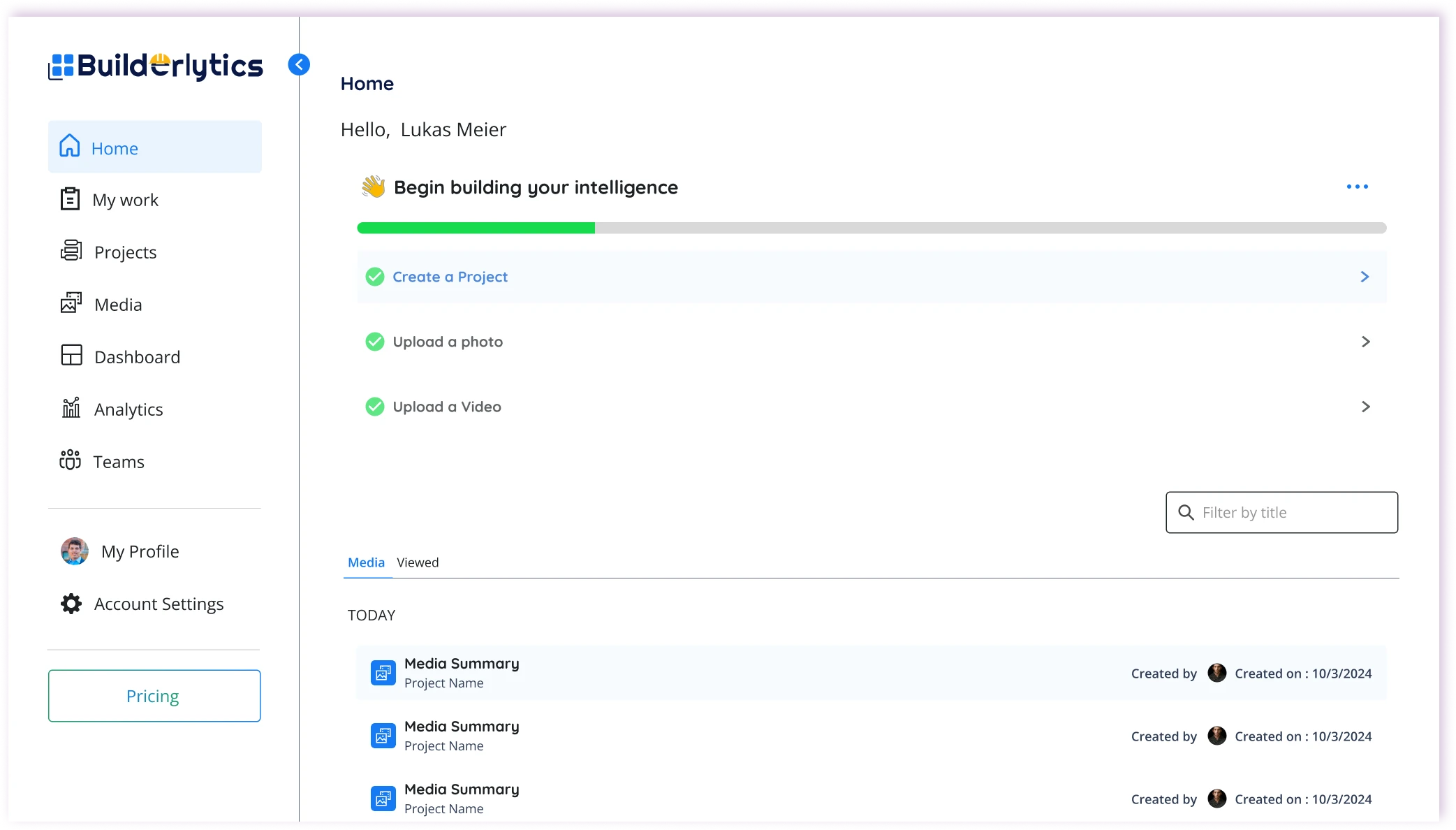
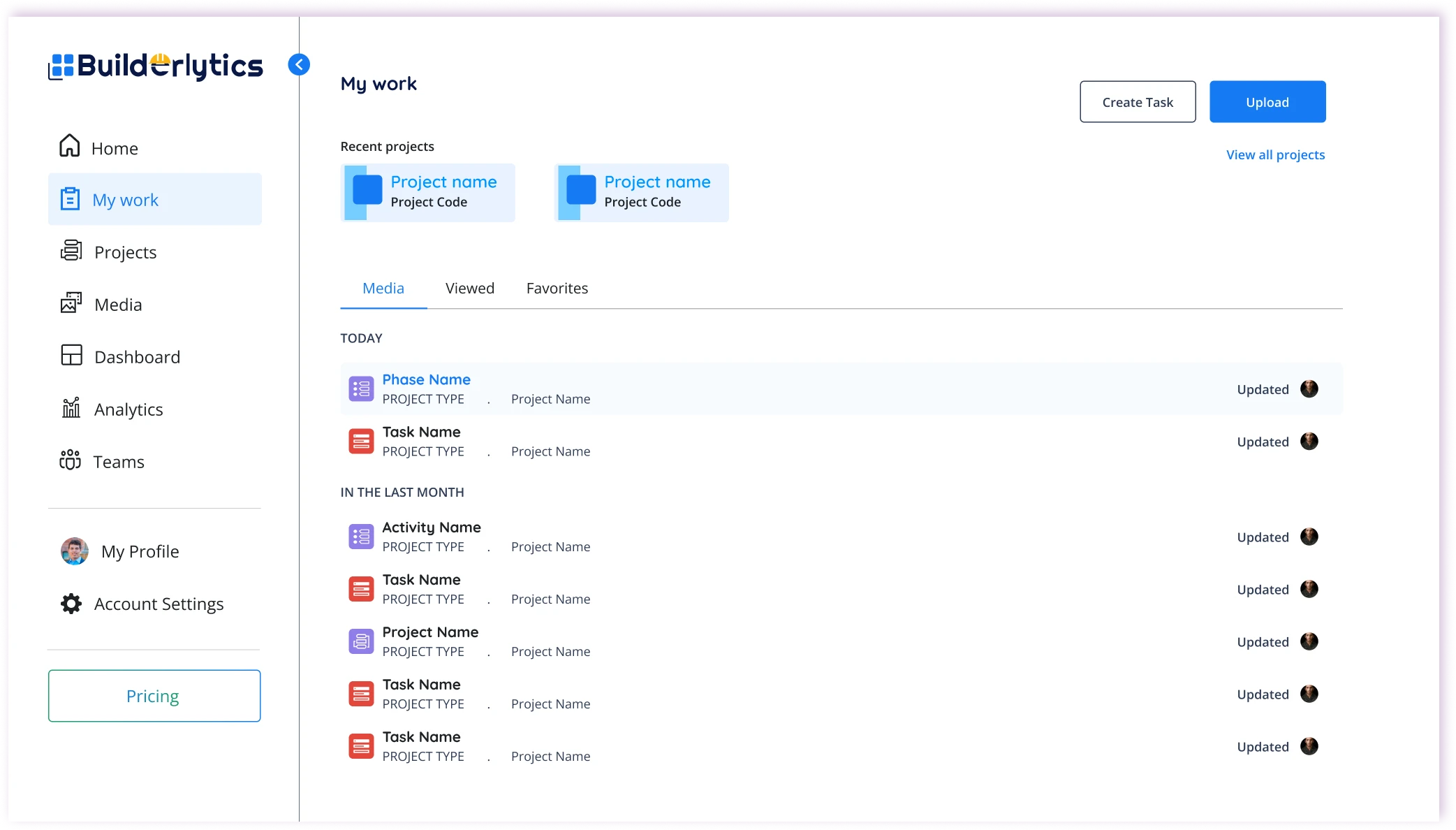
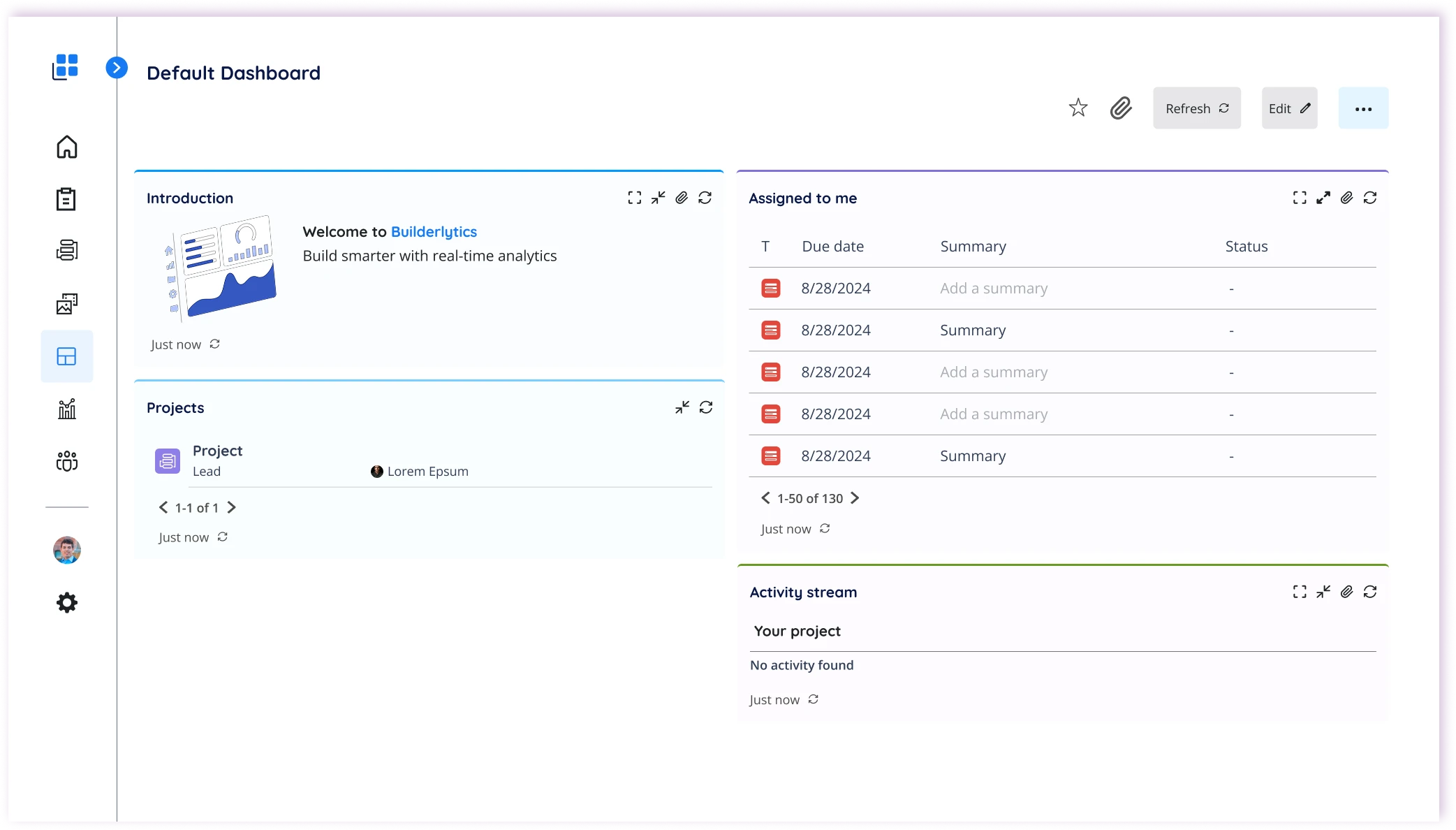
Web Lite · Home & My work

Start every day with what matters

Challenge

Updates arrive late, so milestones slip and resources are misallocated.

Design response

Home gives managers a live view of active projects and recent activity, while My work lists each person’s assigned tasks and their status, so nobody has to ask where things stand.

  • Active projects
  • Recent activity
  • Assigned tasks
  • Notifications
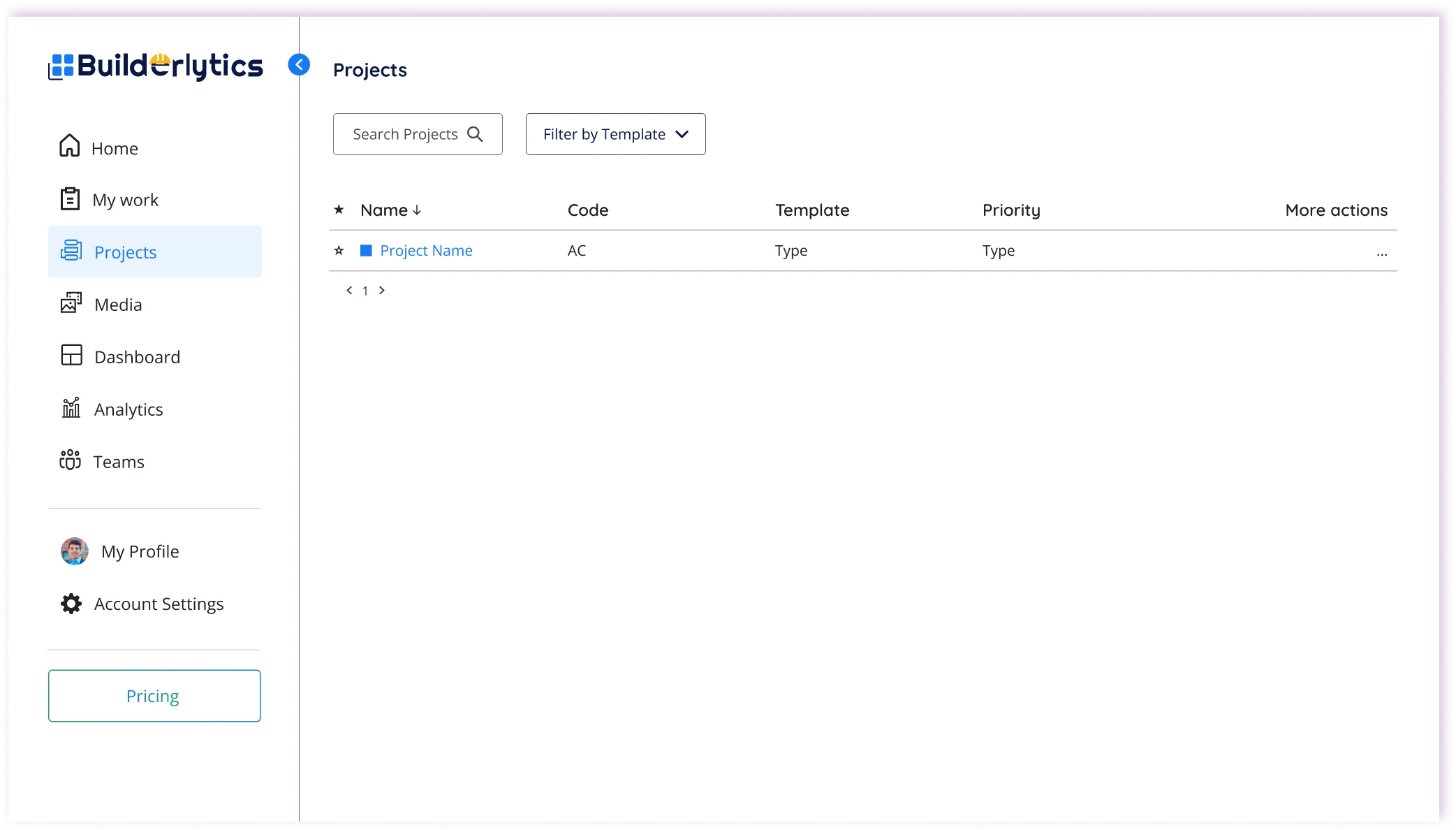
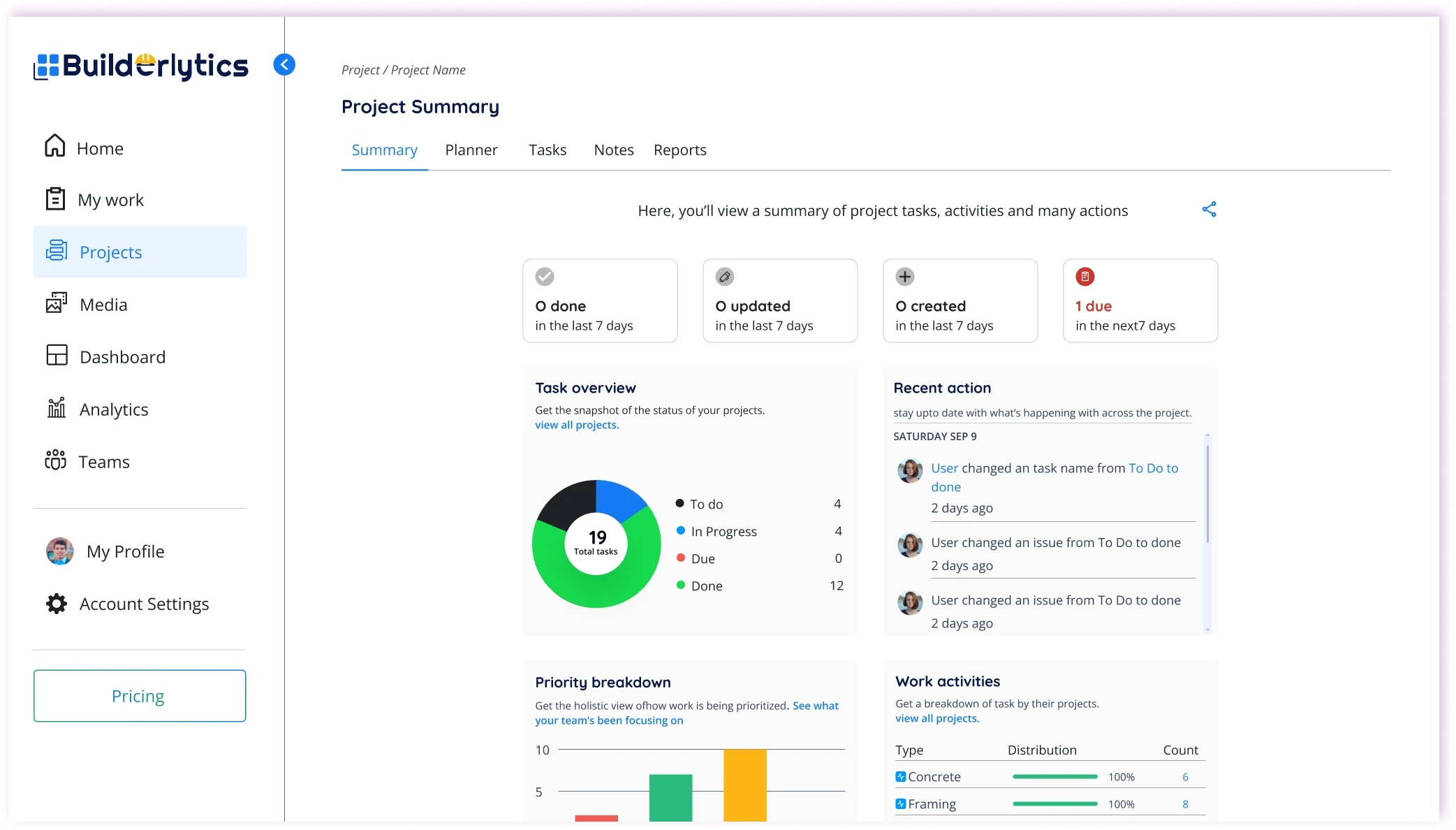
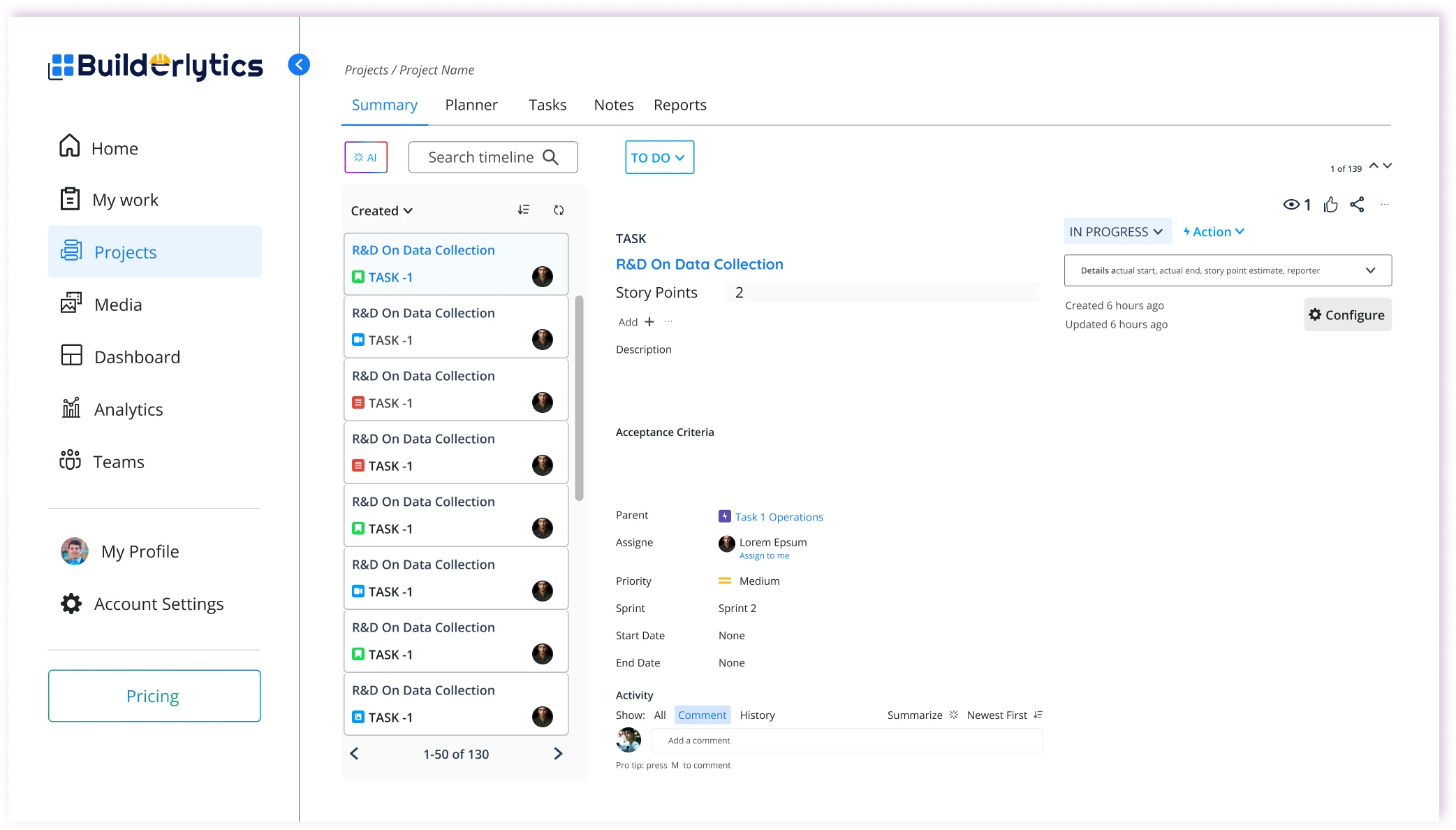
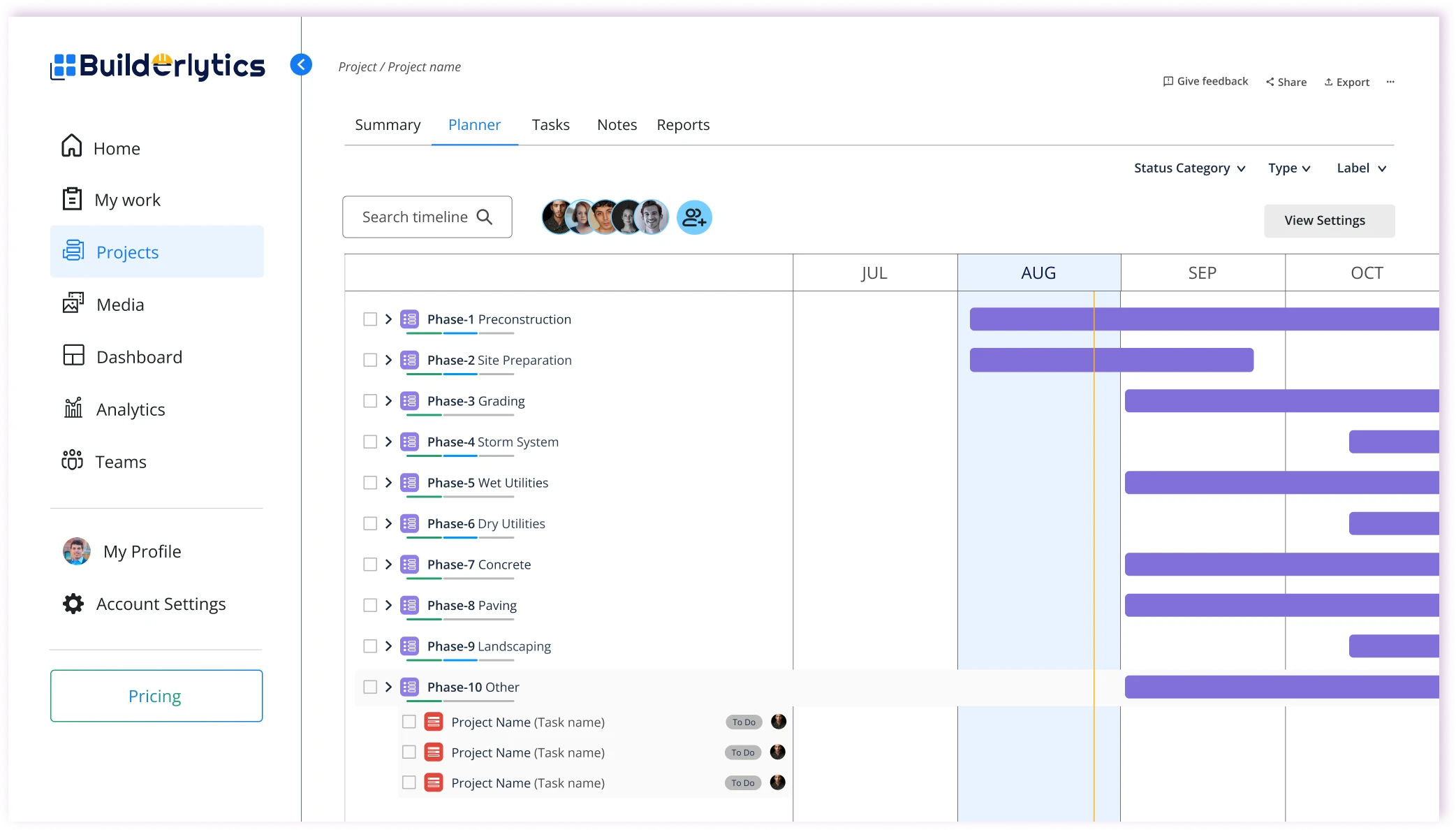
Web Lite · Projects

Track every project from tasks to timeline

Challenge

Milestones slip when tasks, schedules, and reports sit in different places.

Design response

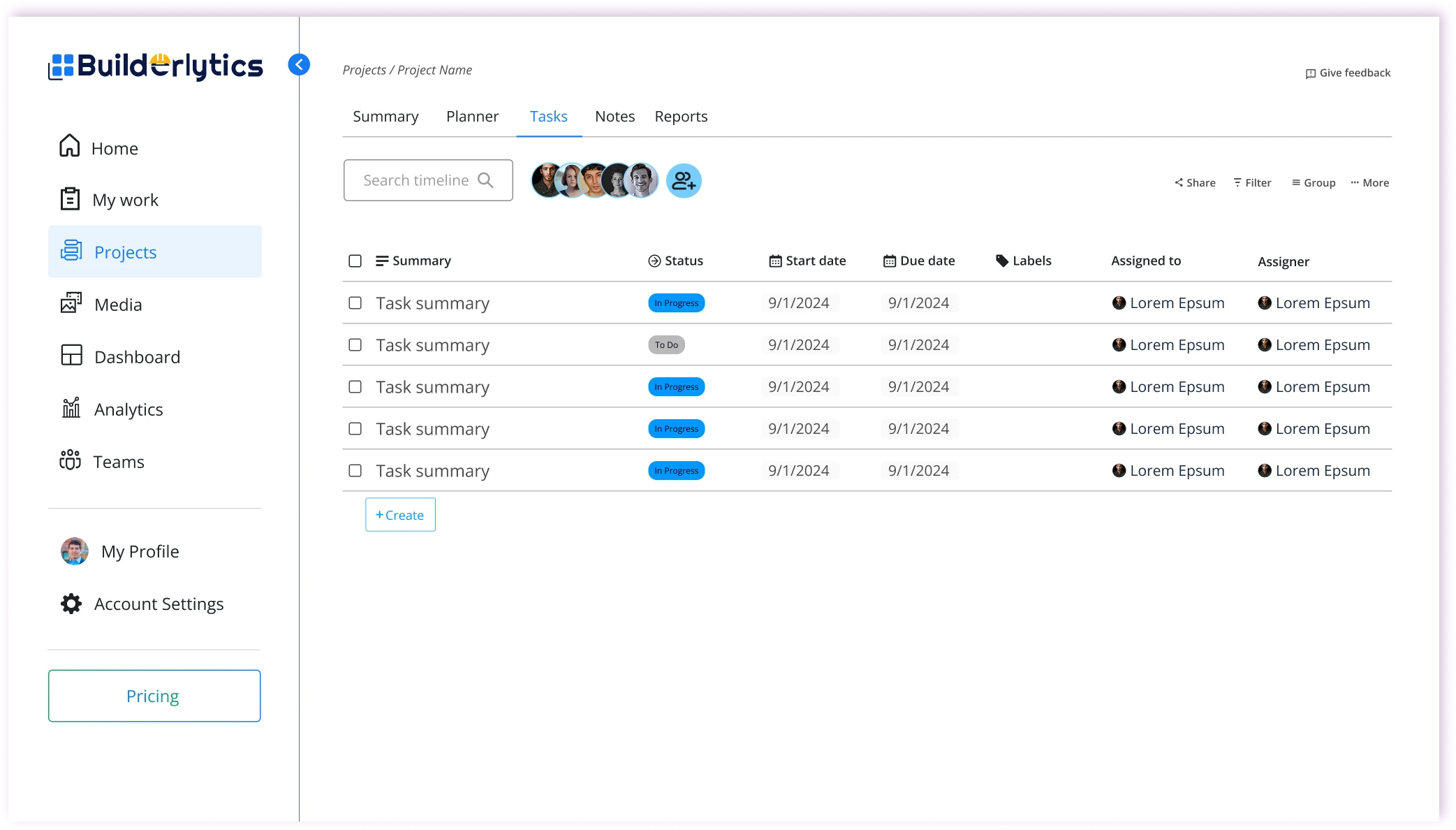
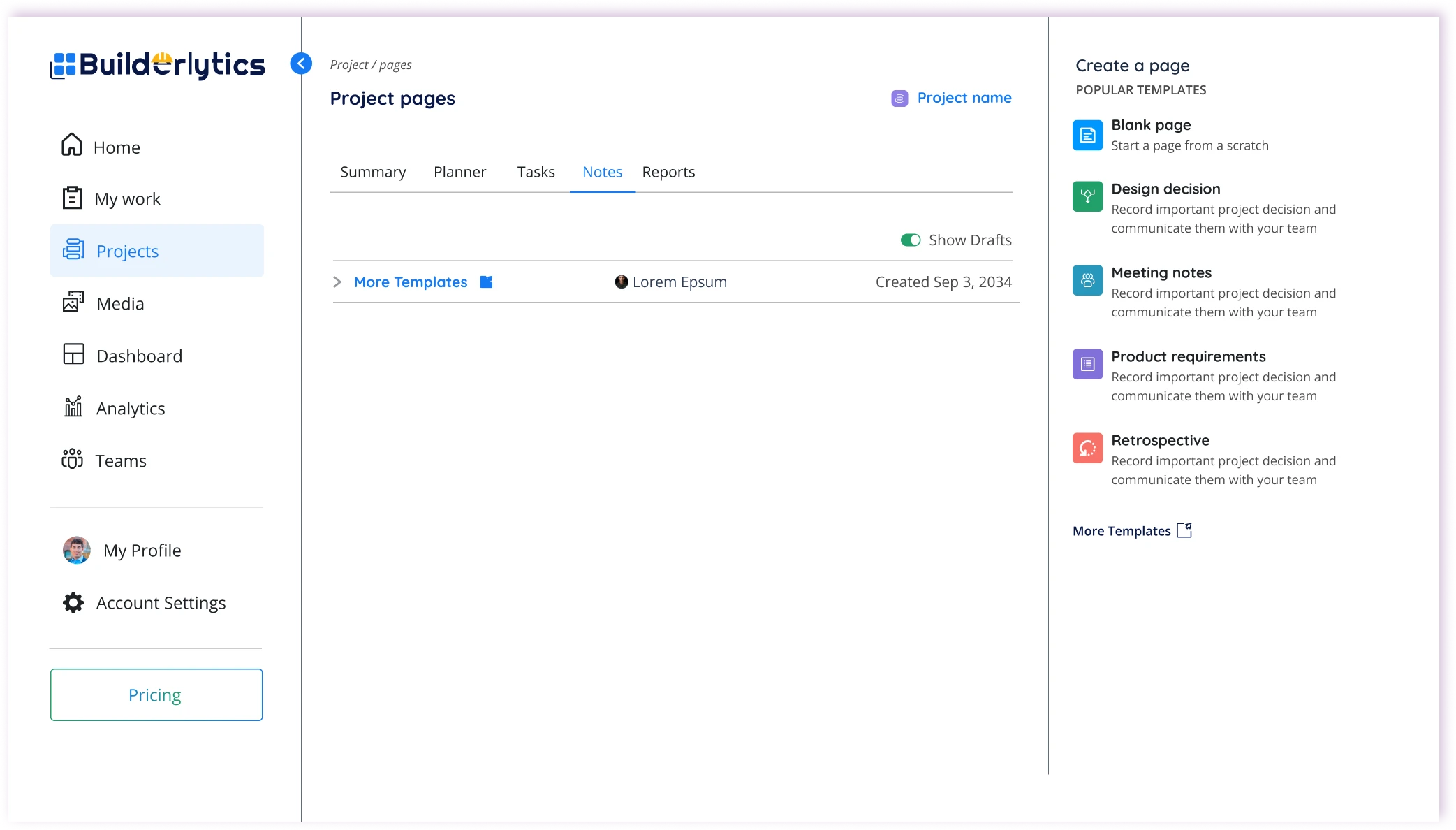
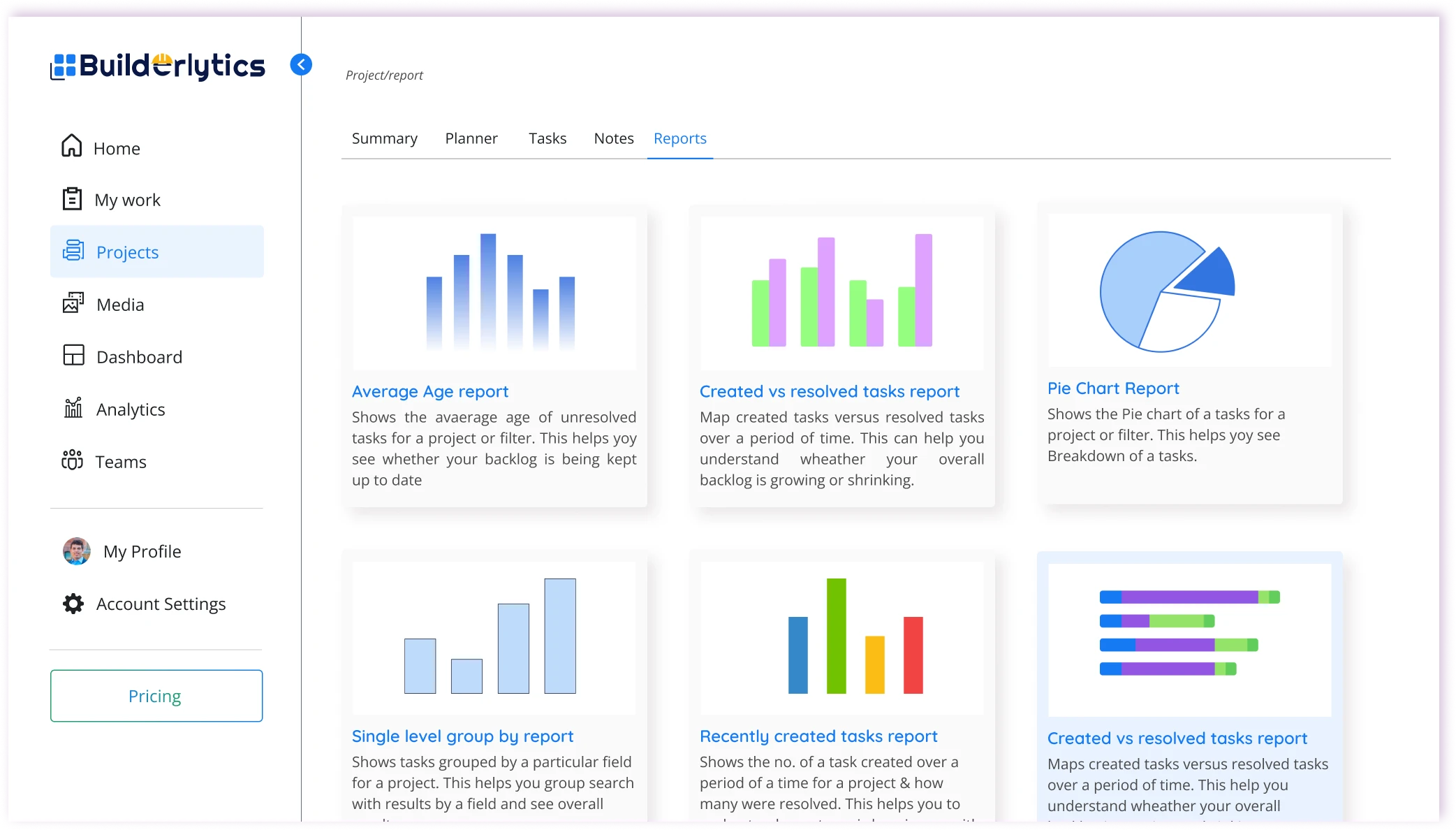
Every project opens into one workspace where tasks, timeline, and reports sit side by side, so managers can spot slipping milestones early and rebalance resources before delays spread.

  • Task tracking
  • Project timeline
  • Progress reports

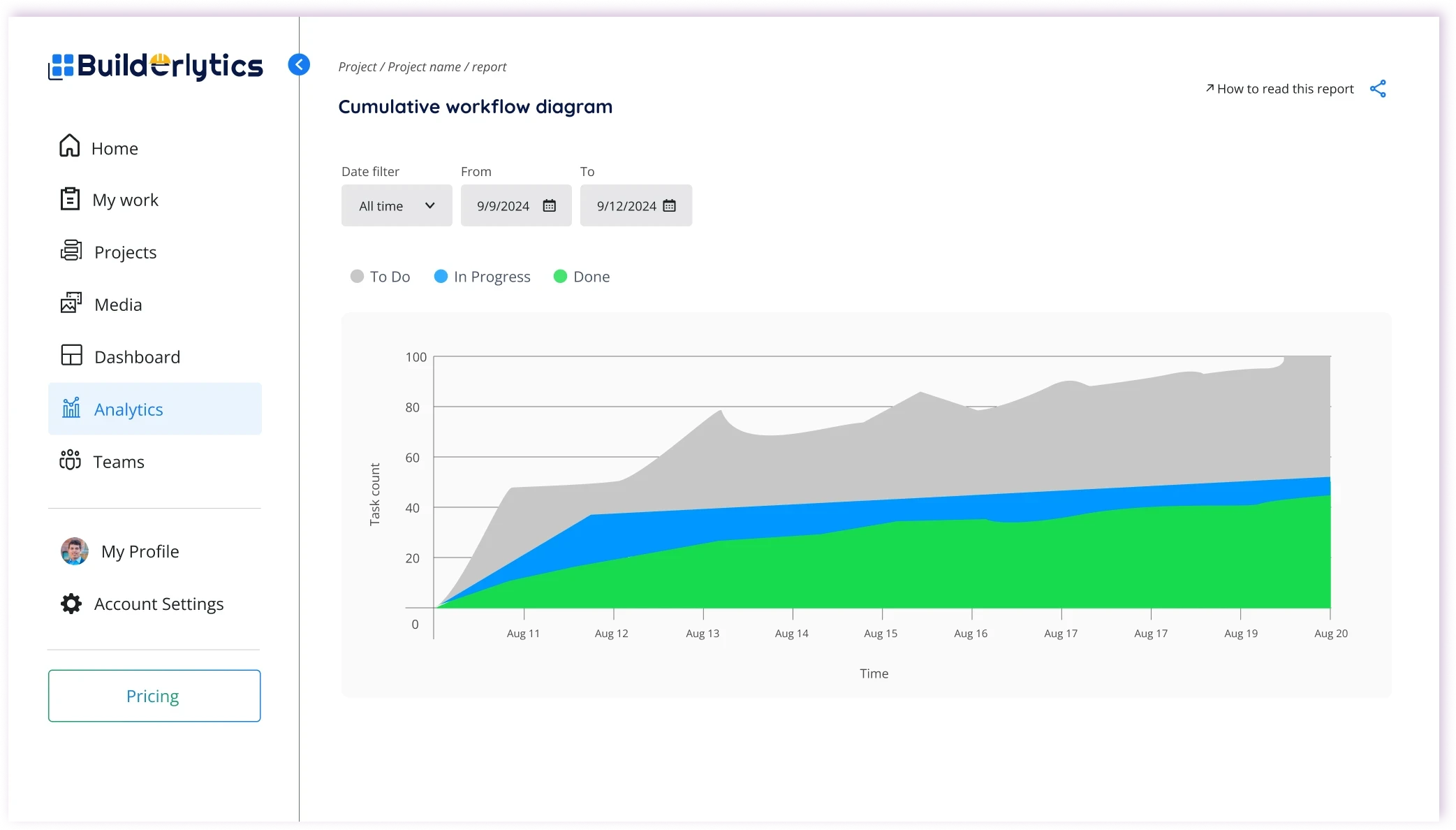
Web Lite · Dashboard & Analytics

See workforce and equipment performance at a glance

Challenge

No real-time view of worker productivity, and equipment use and idle time are hard to track.

Design response

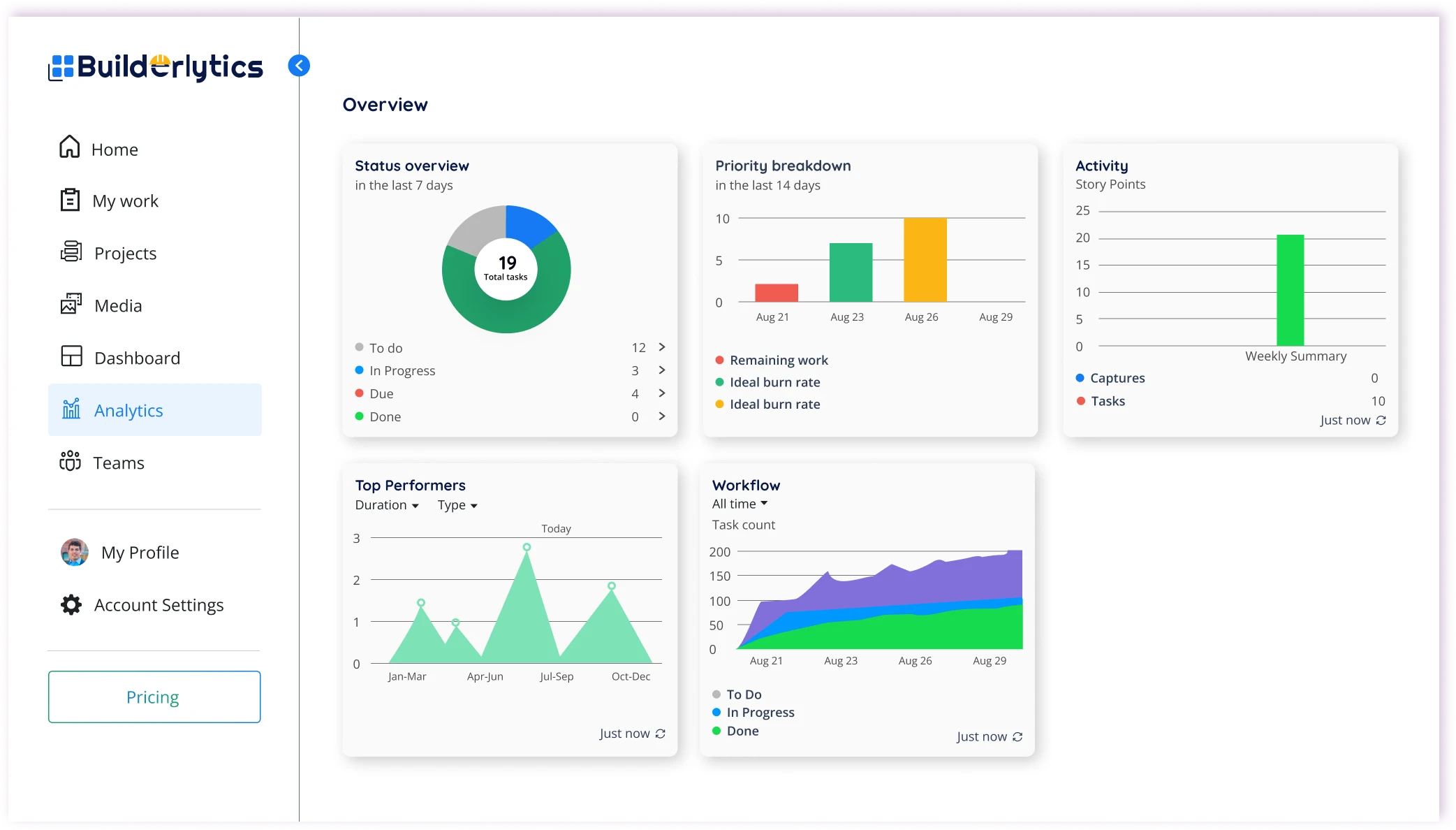
Dashboards and Analytics turn live site data into KPIs and charts for workforce and equipment, showing exactly where hours and machine time are lost so teams can act on it.

  • Custom dashboards
  • Workforce KPIs
  • Equipment usage
  • Idle time

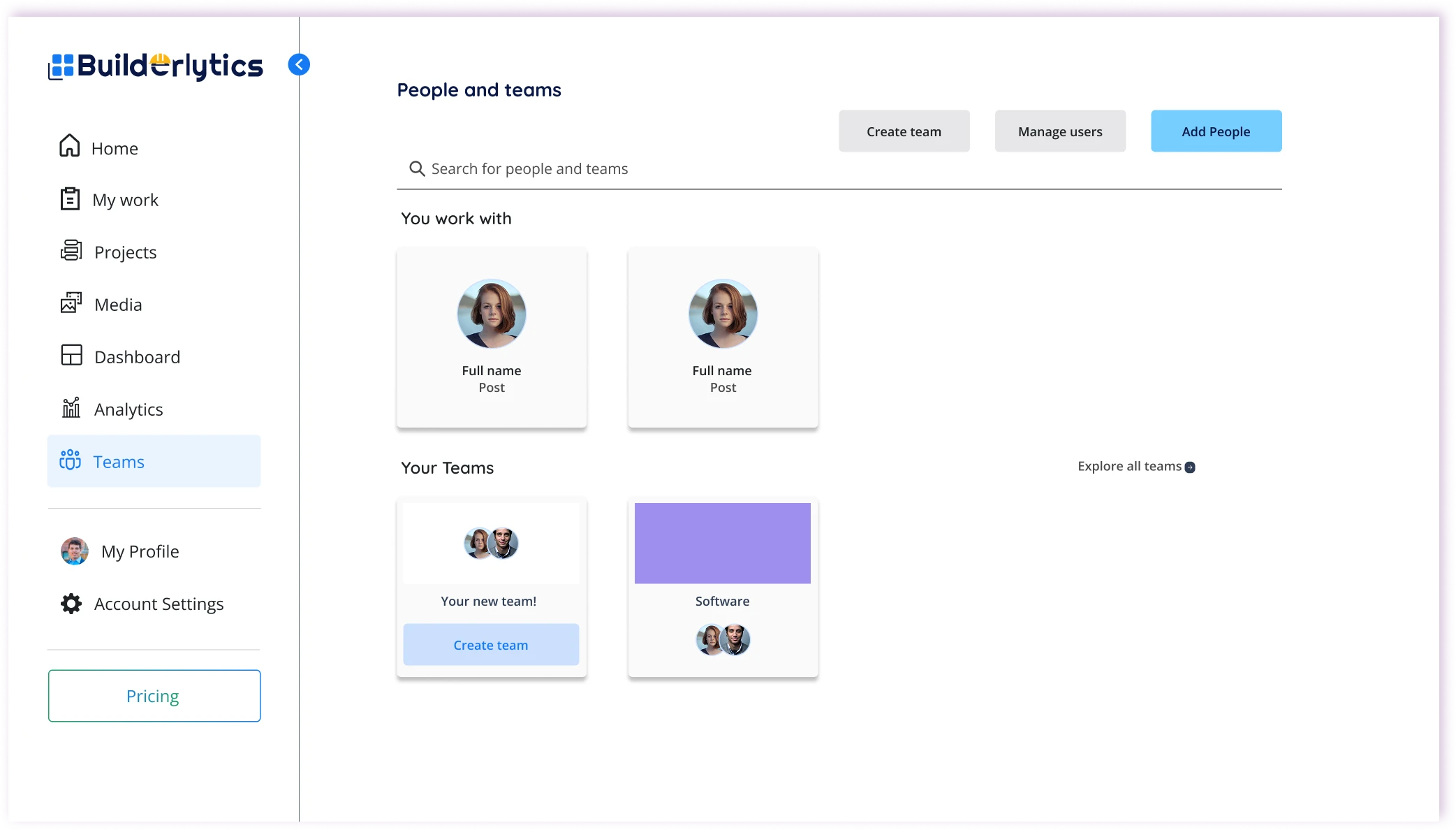
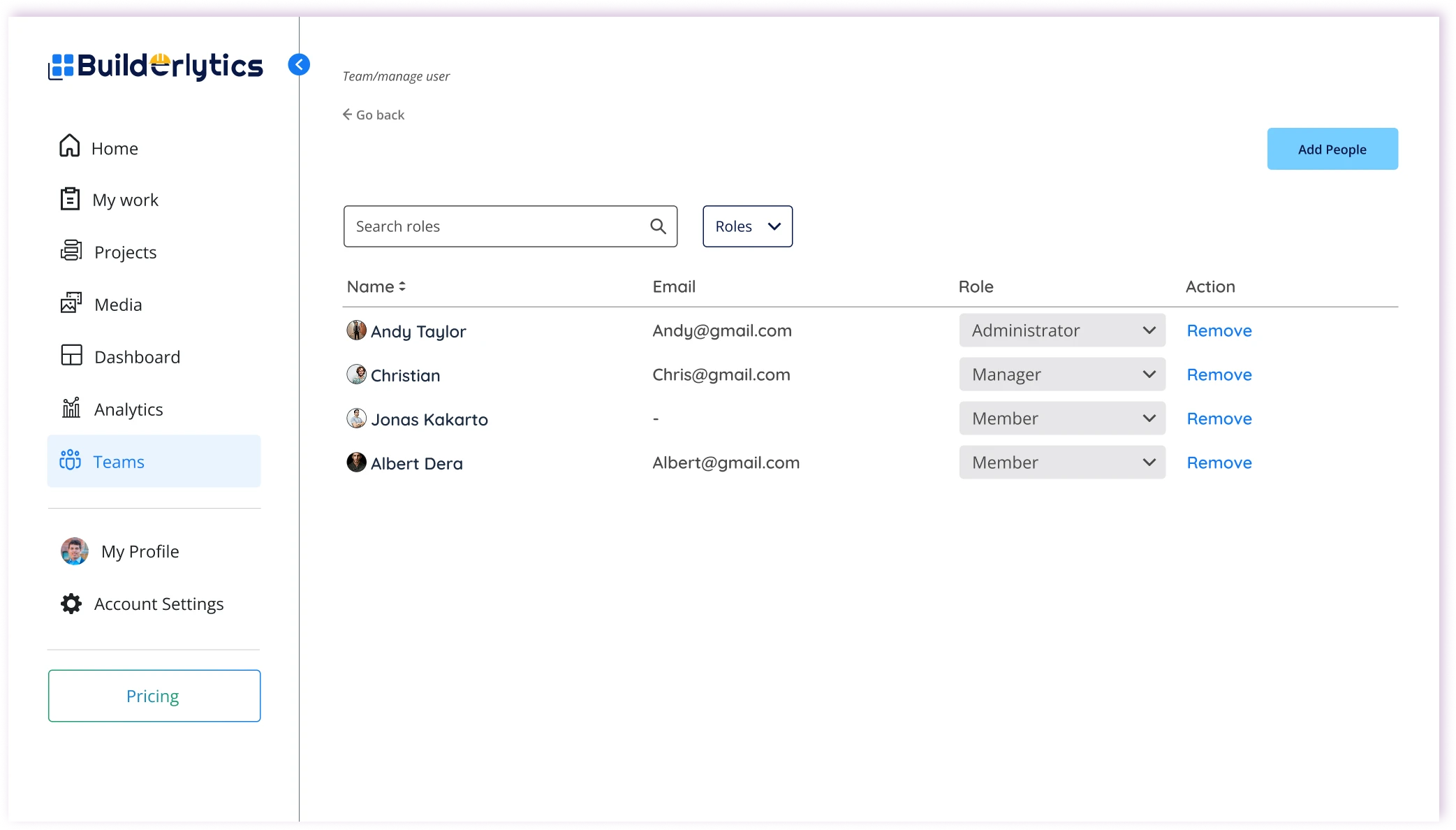
Web Lite · Teams

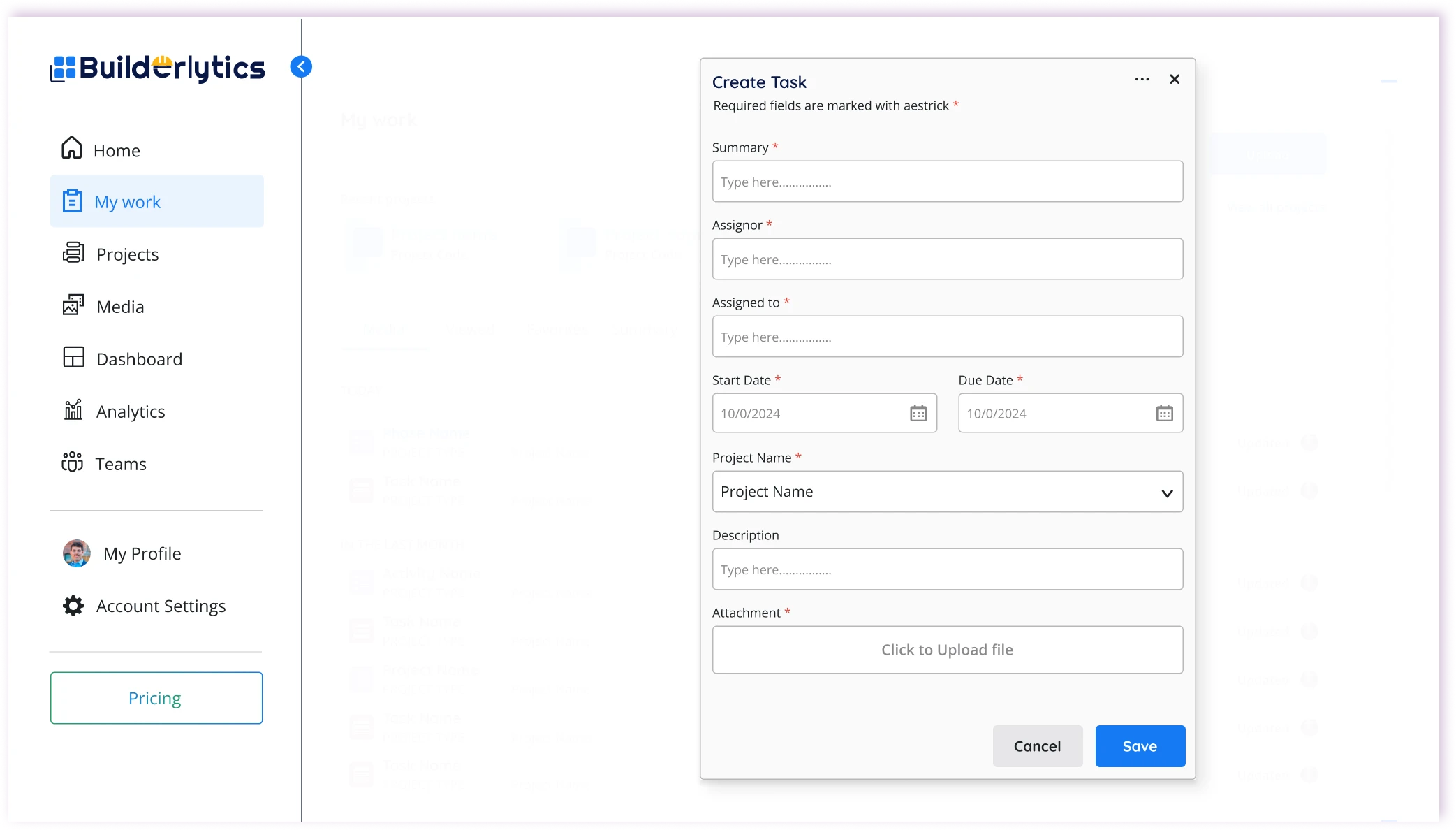
Build teams and assign work in a few clicks

Challenge

Managers can’t see who is working on what, so effort is duplicated or missed.

Design response

Managers create teams, invite people, and delegate tasks in a few clicks, so every worker knows what to do next and every manager can see who is on it.

  • Create teams
  • Invite users
  • Task delegation
  • Team overview

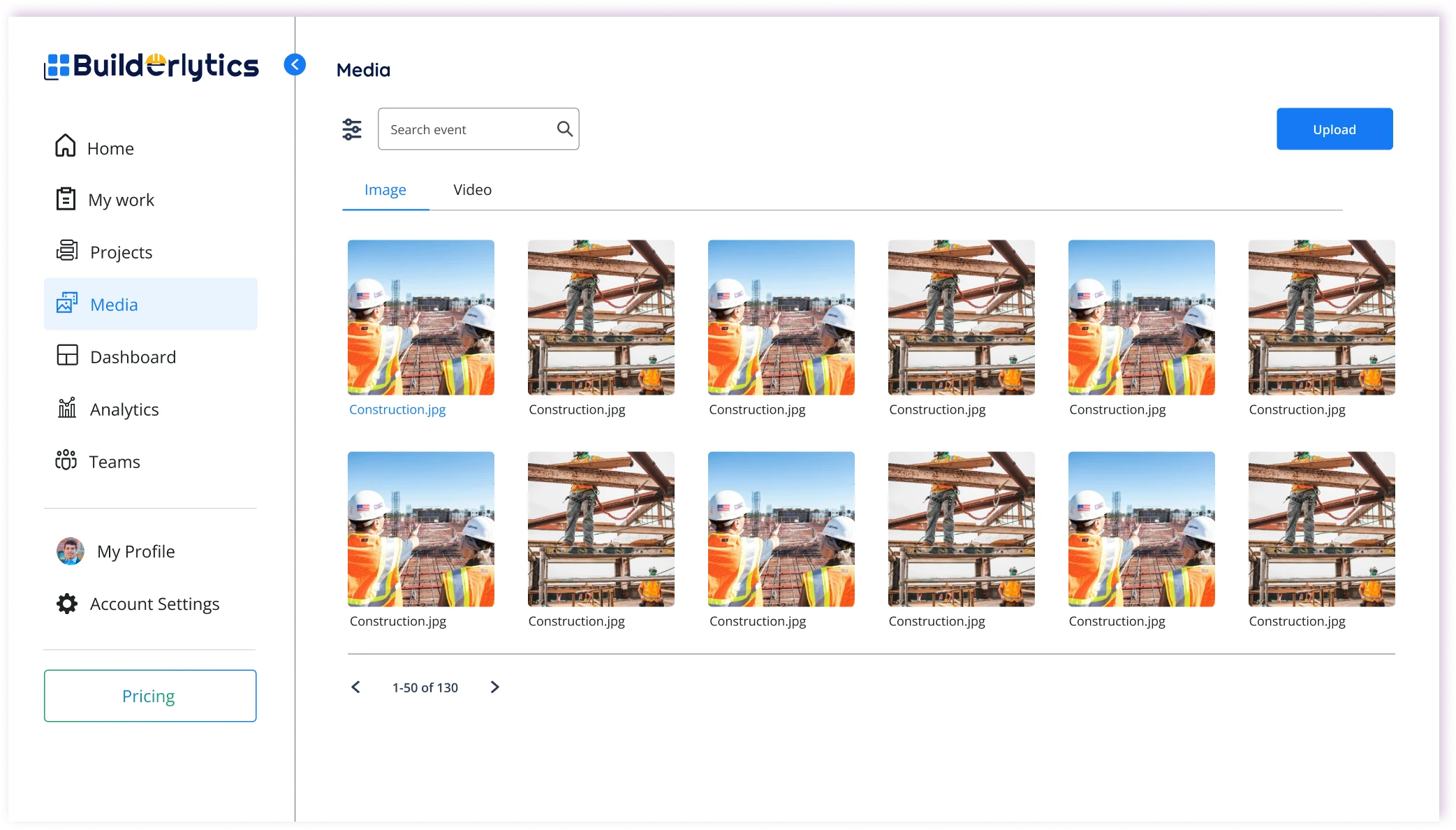
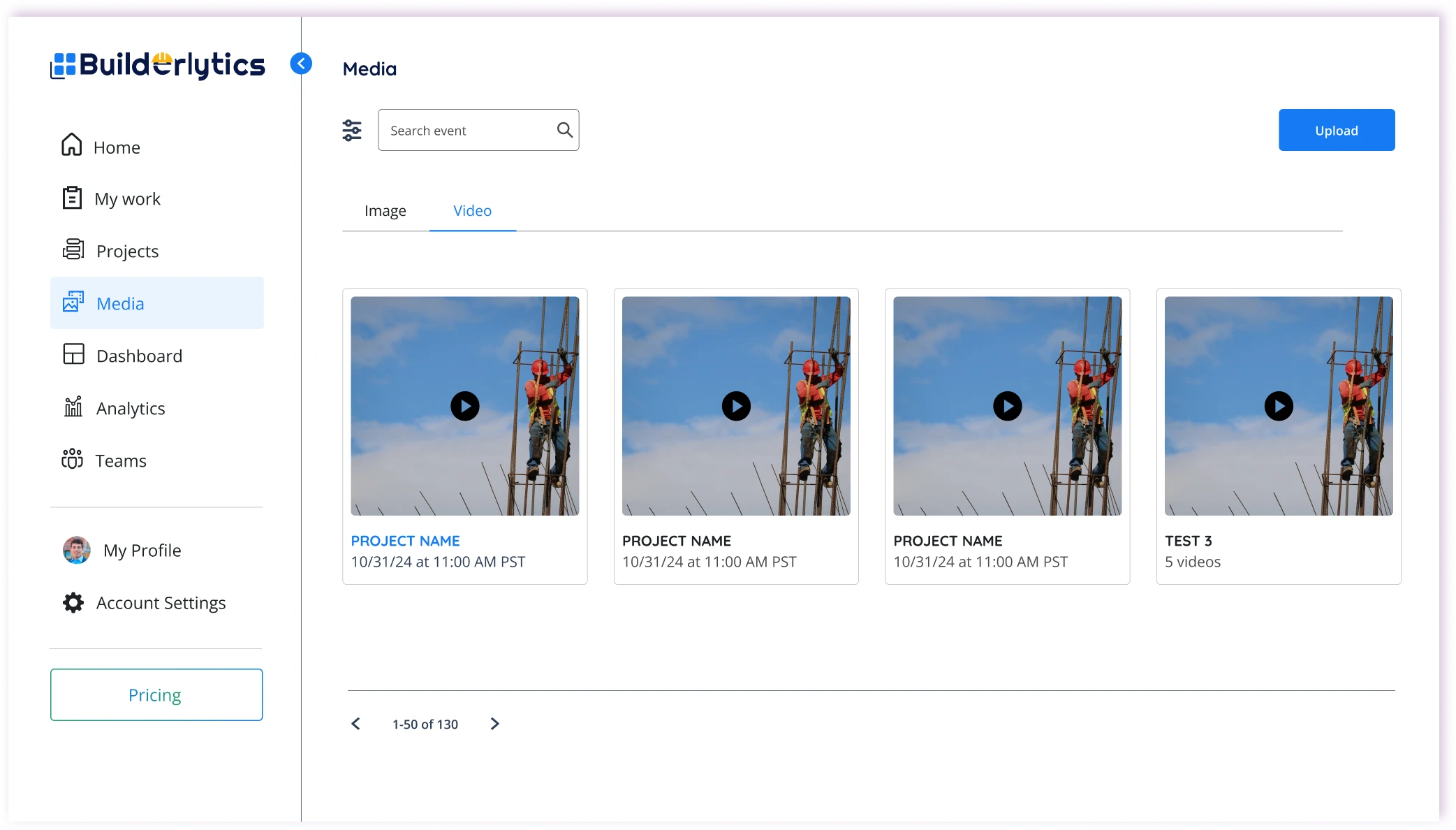
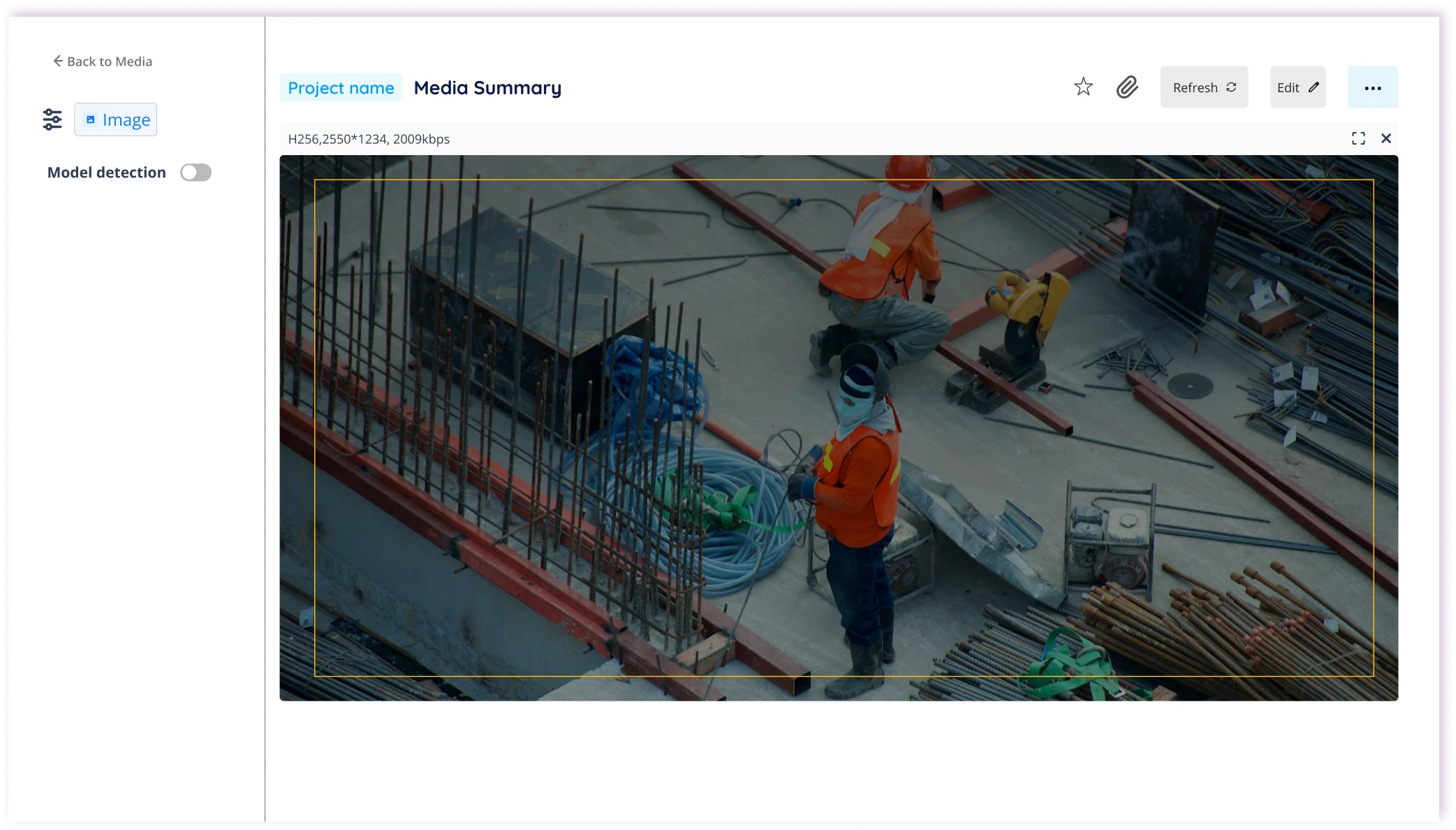
Web Lite · Media

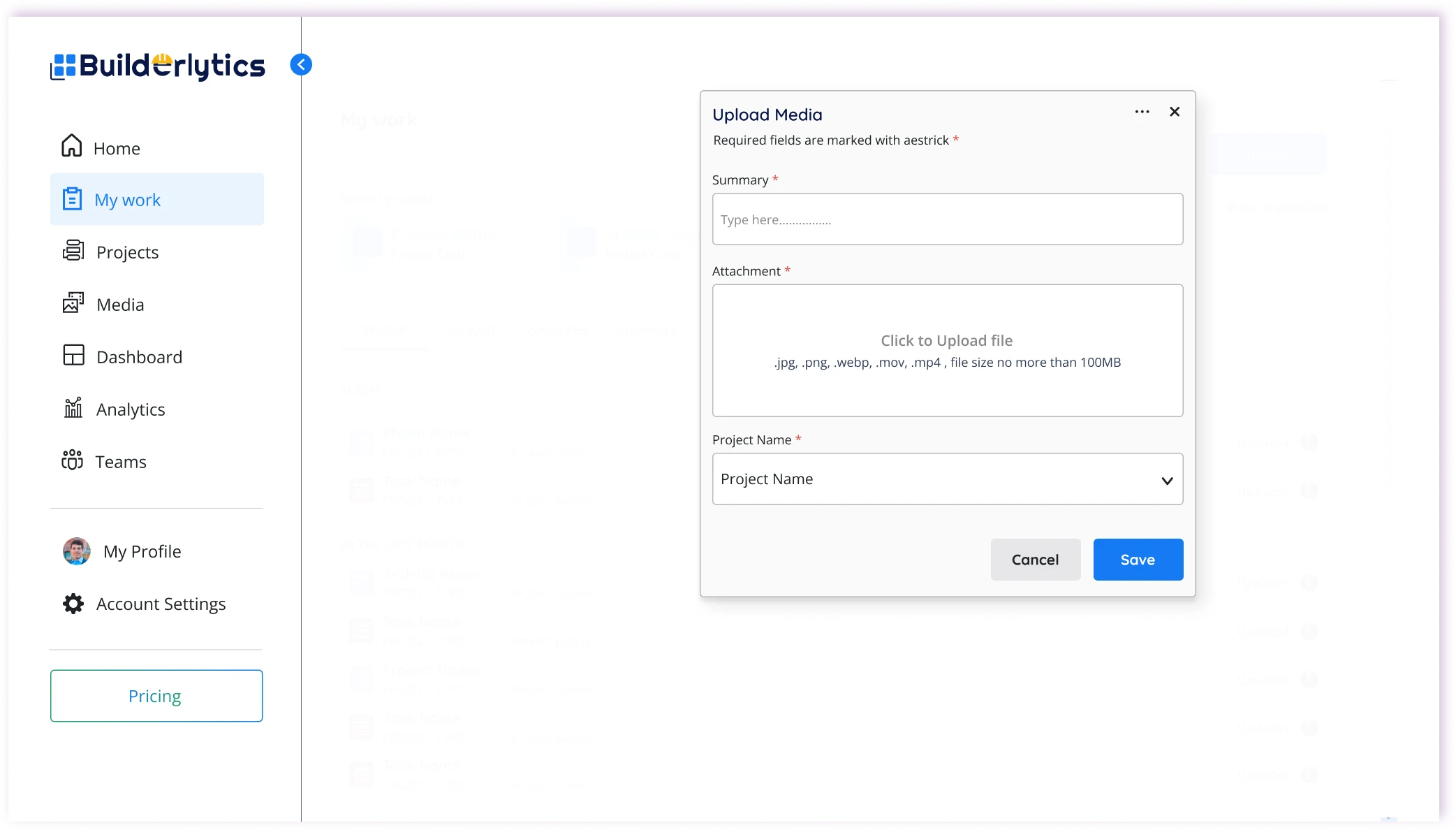
One secure place for site photos and video

Challenge

Photos, video, and reports sit across platforms, making milestones hard to monitor.

Design response

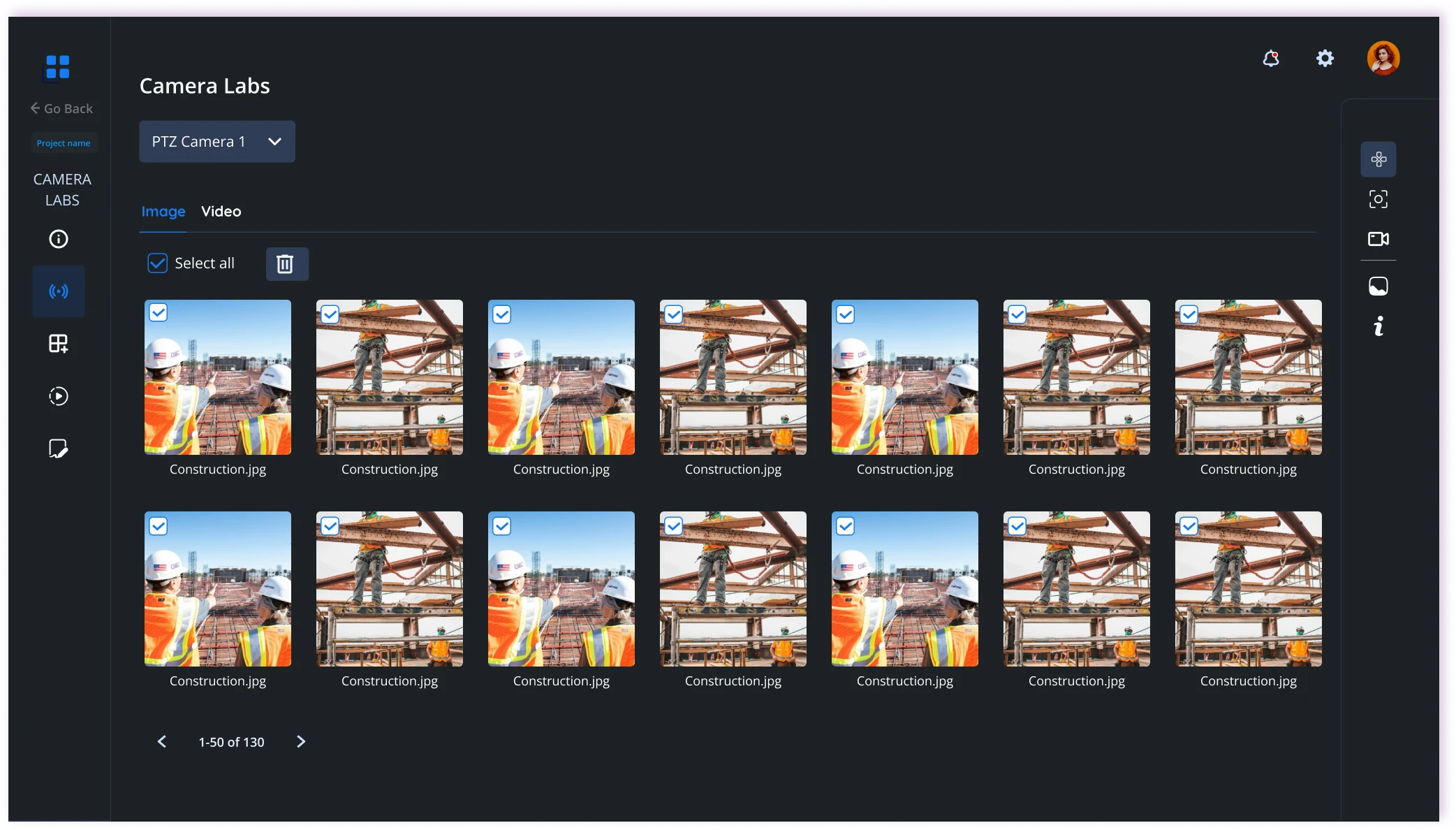
Site photos and videos are stored in one secure cloud library and tied to their projects, so progress evidence is easy to find and never lost across separate tools.

  • Photo uploads
  • Video uploads
  • Project-linked
  • Secure cloud storage

/Web · Beta

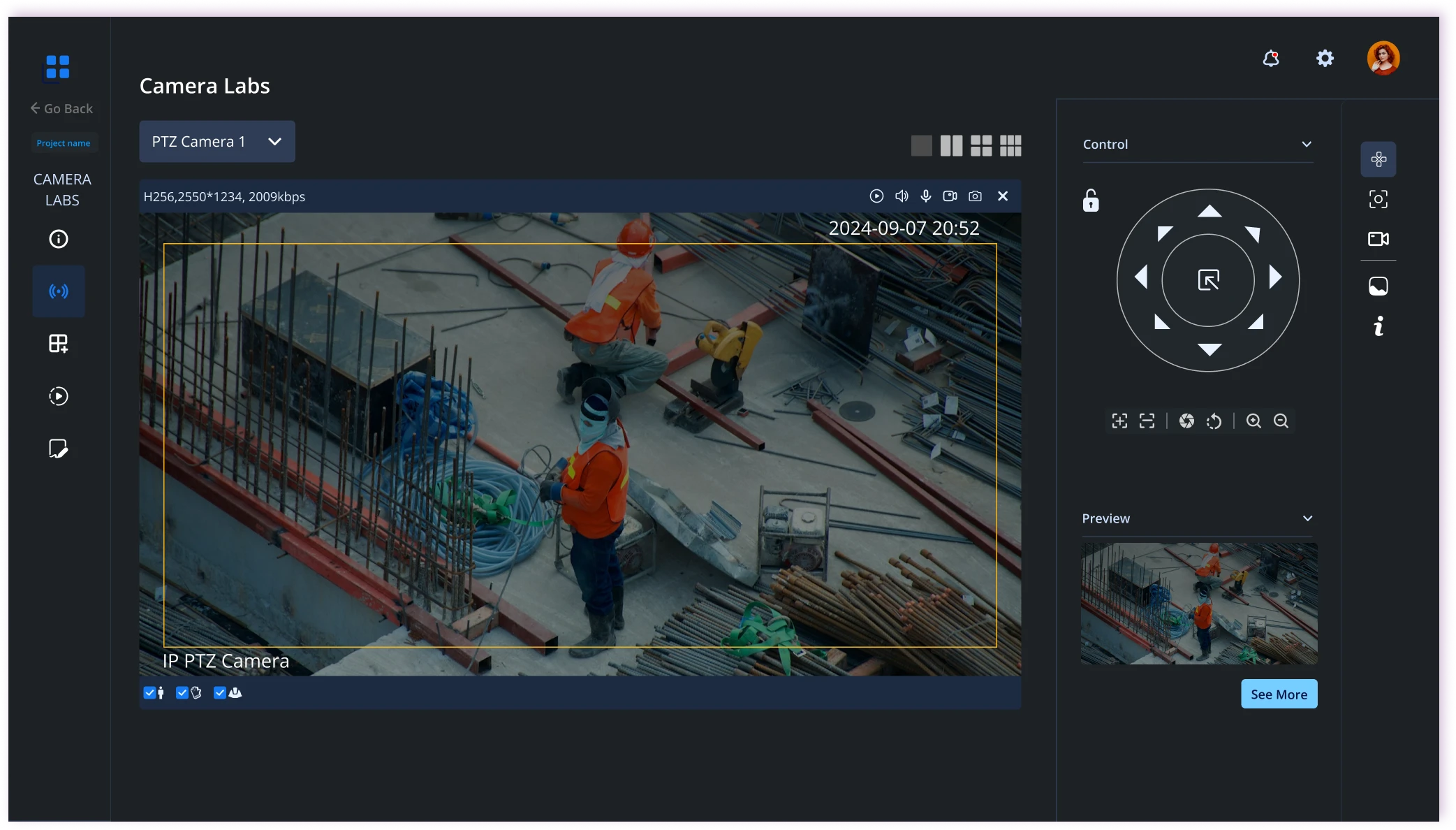
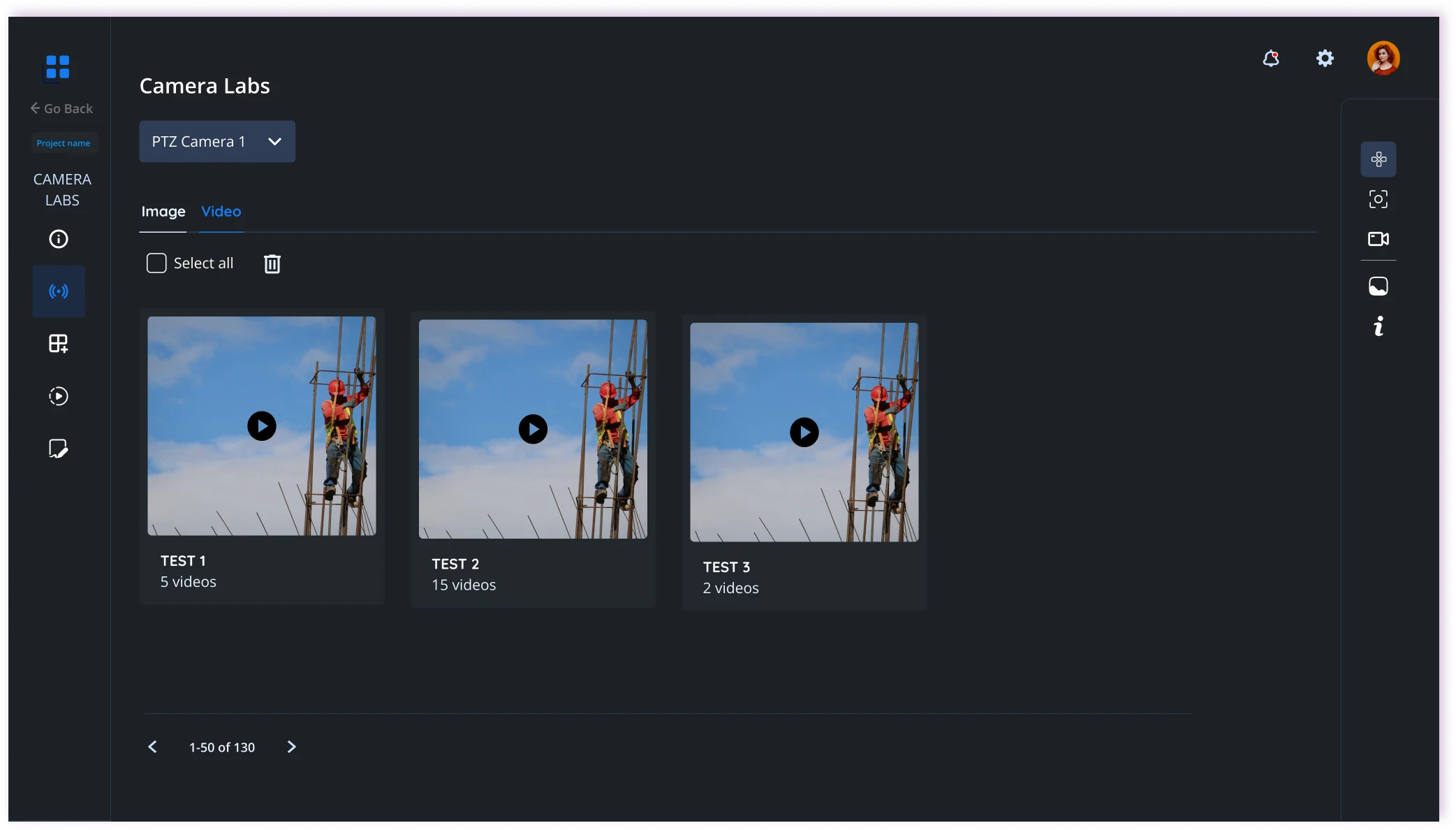
Vision: a camera lab for every site.

Beta adds Vision, a camera lab for live monitoring, playback, and trigger-line detection. It answers the safety challenge, so managers can move from watching to reviewing to setting up automatic alerts in one place.

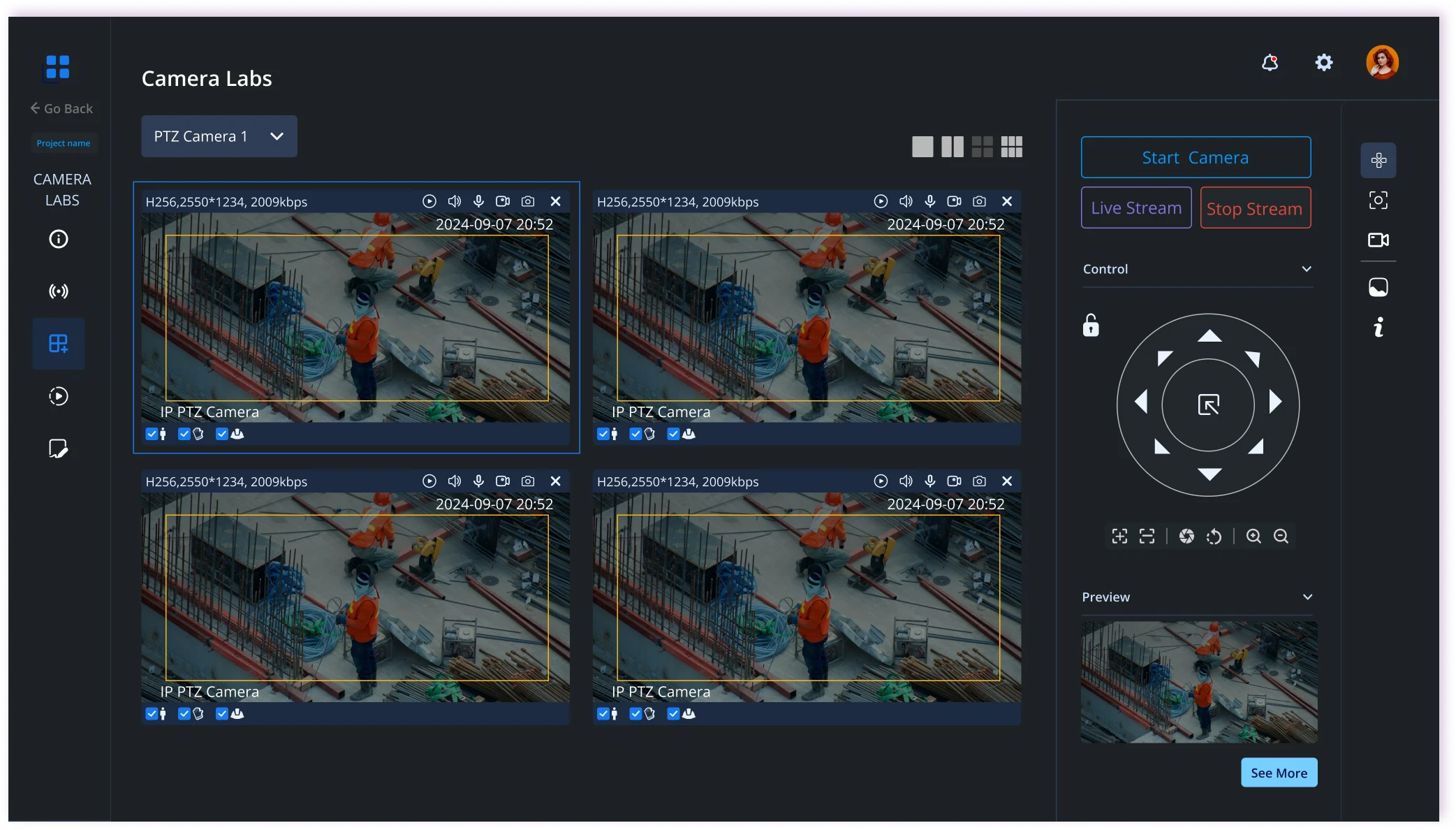
Web Beta · Vision · Live view

Supervise every site, live and remotely

Challenge

Unsafe practices go unseen when supervisors can’t be on every site.

Design response

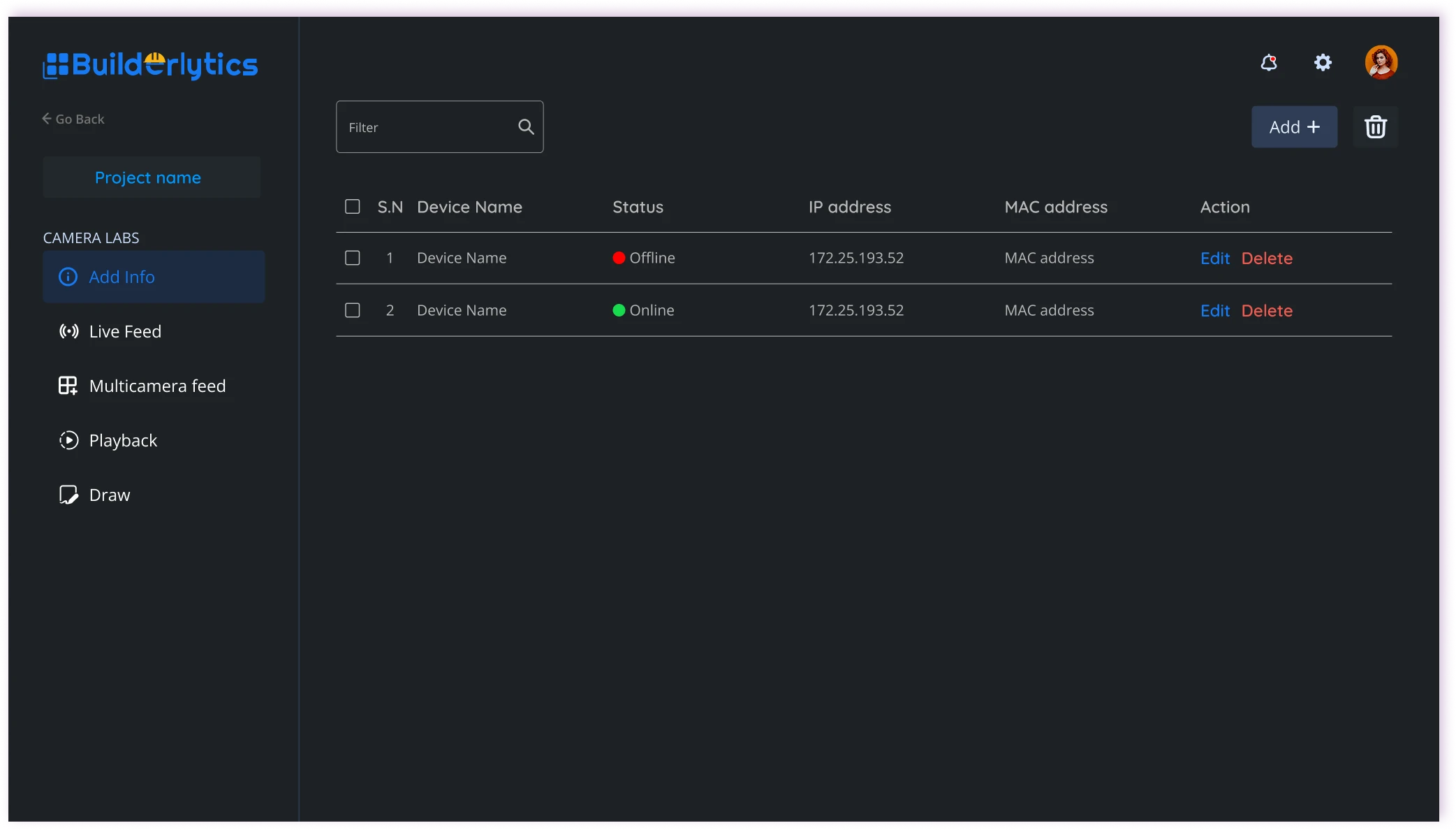
Live view puts several cameras on one wall, and the single-camera viewer adds remote PTZ control, so managers can check any site and spot risks early without being there. Cameras are added and managed from the device table.

  • Multi-camera wall
  • Remote PTZ control
  • Device management

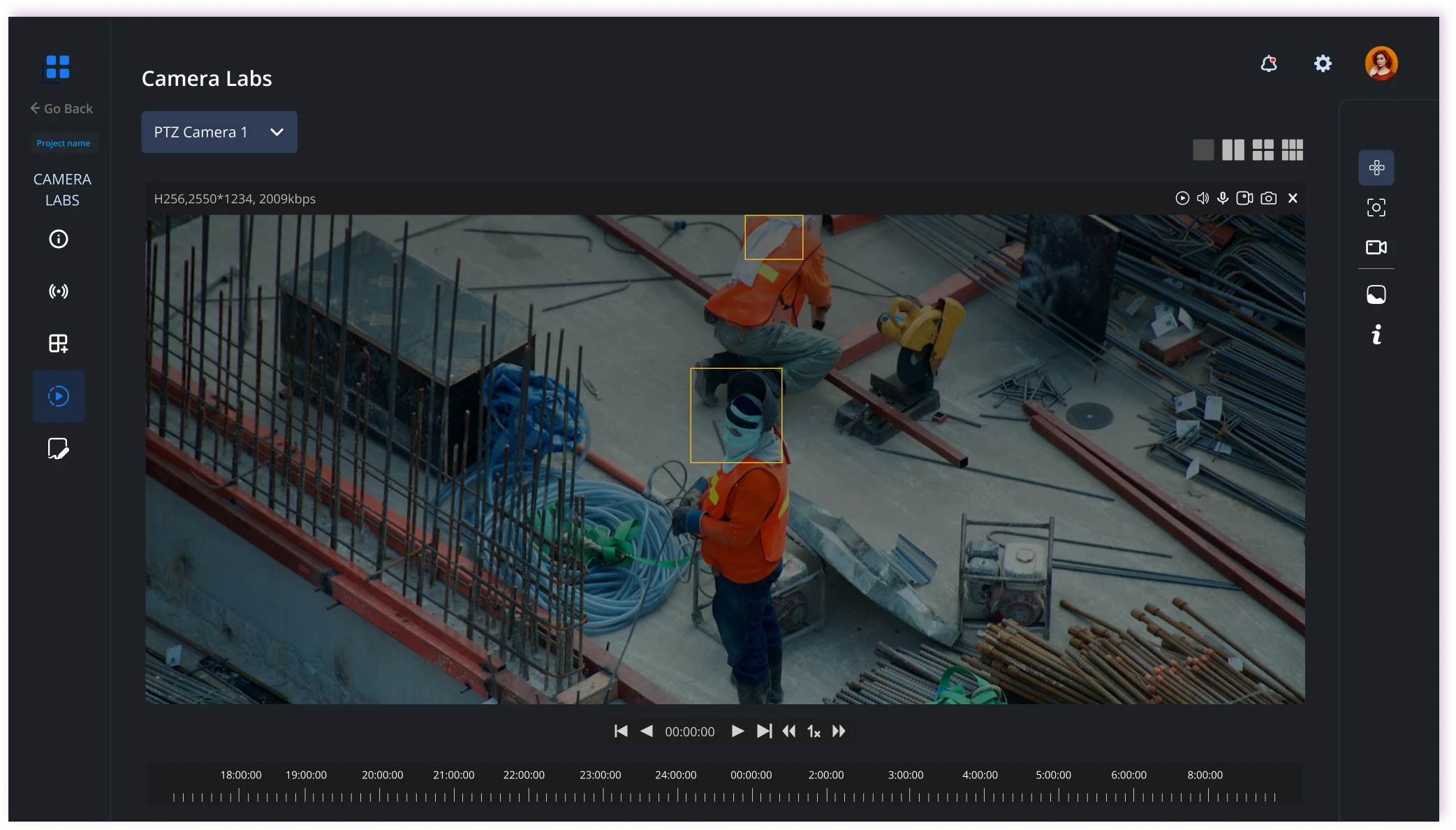
Web Beta · Vision · Playback

Review any incident after the fact

Challenge

When something goes wrong, there is no easy way to see what happened.

Design response

Playback lets managers go back through recorded footage by camera and time, so incidents can be reviewed, understood, and prevented next time.

  • Recorded footage
  • Timeline scrubbing
  • Search by camera and time
  • Incident review

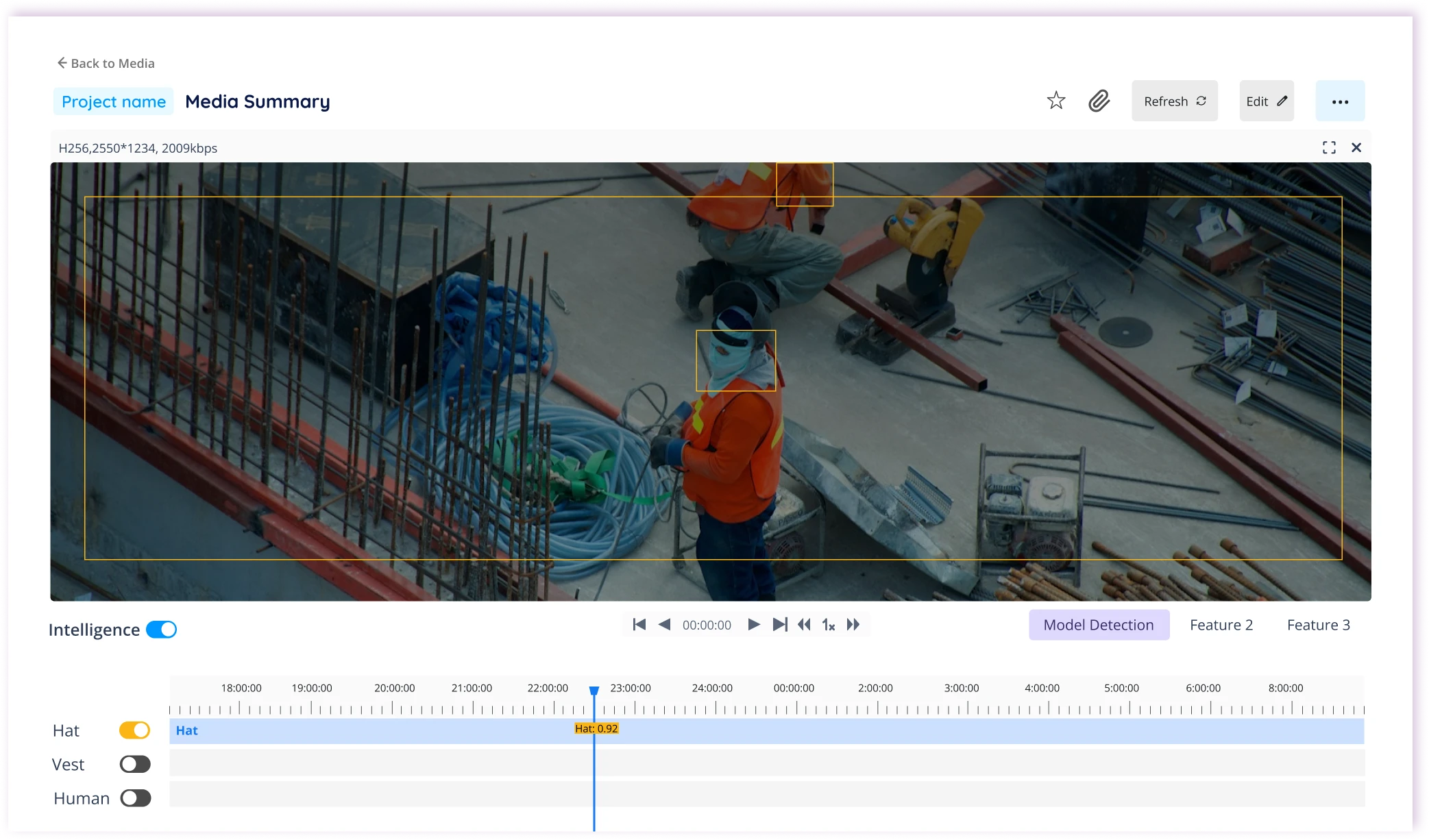
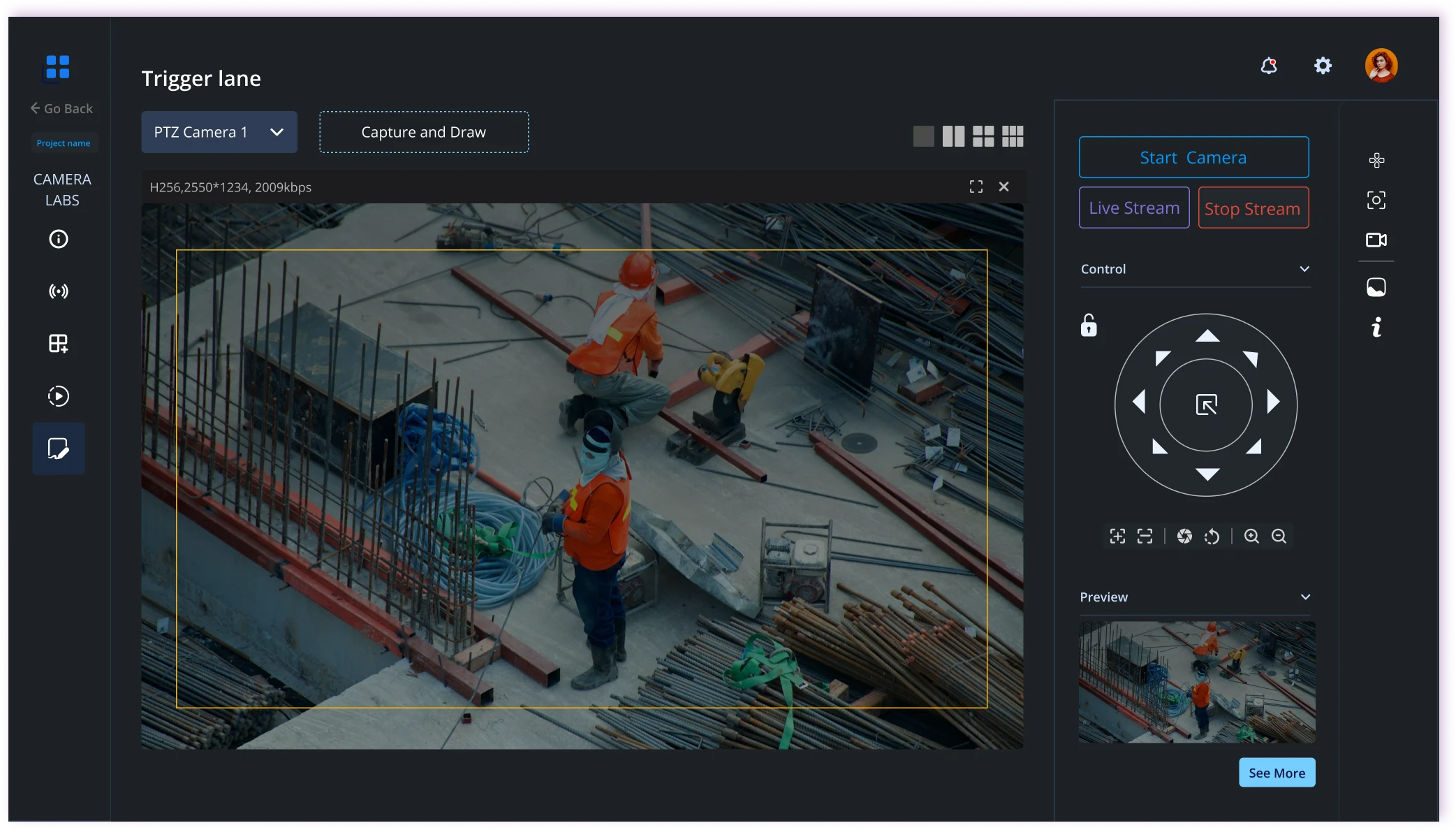
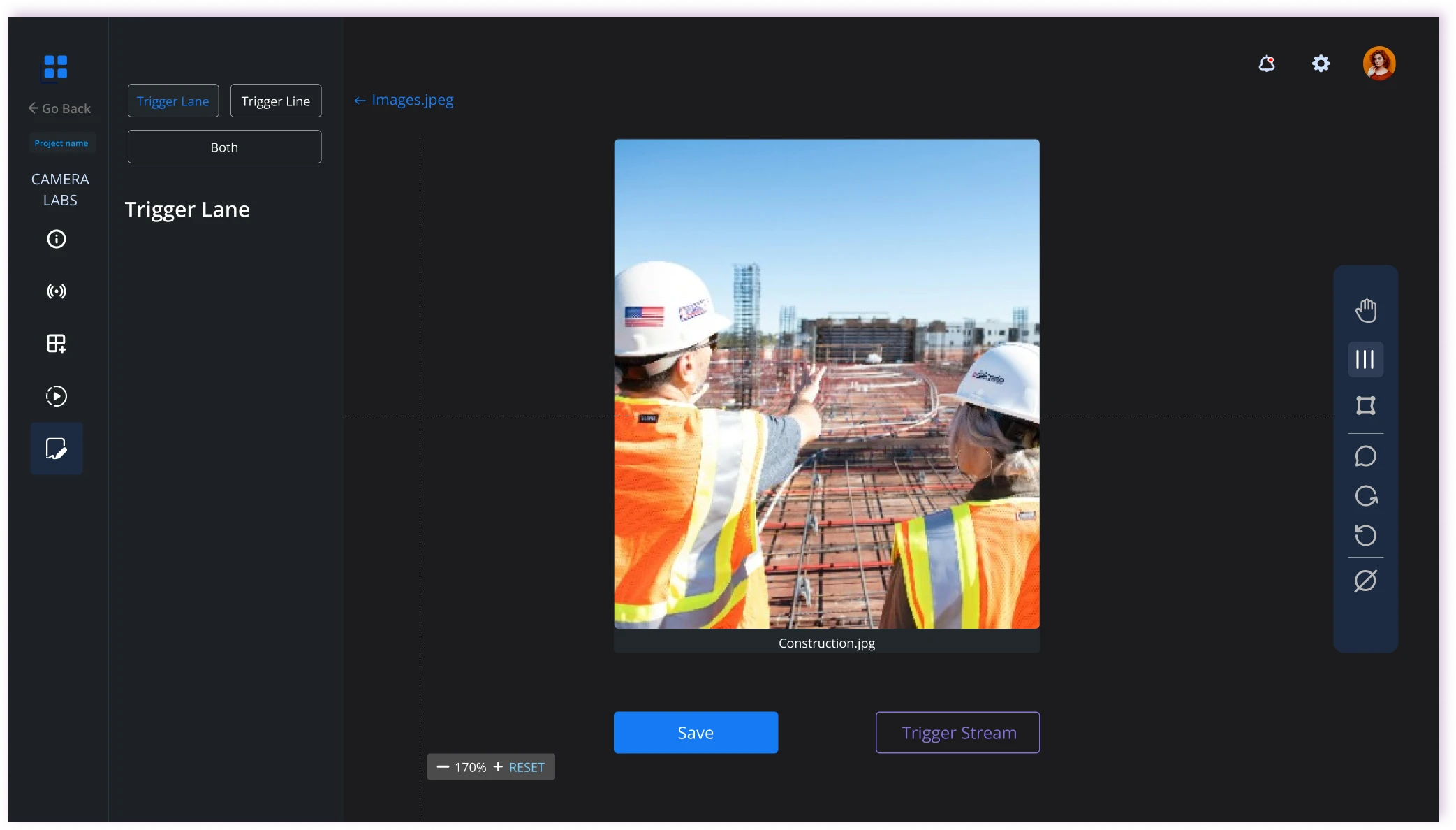
Web Beta · Vision · Trigger lines

Draw the lines that catch risks automatically

Challenge

Compliance issues go unnoticed until they turn into incidents.

Design response

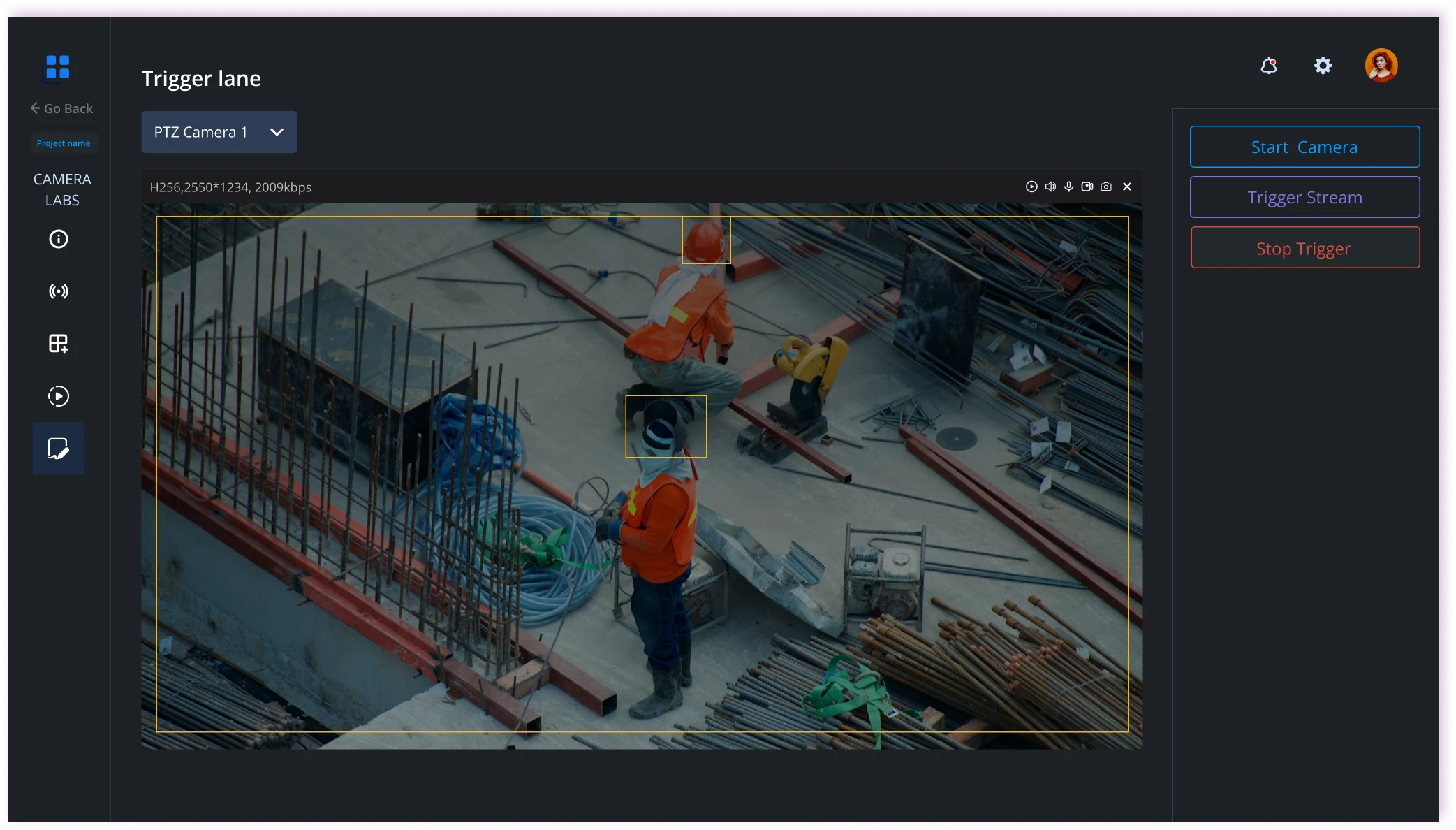
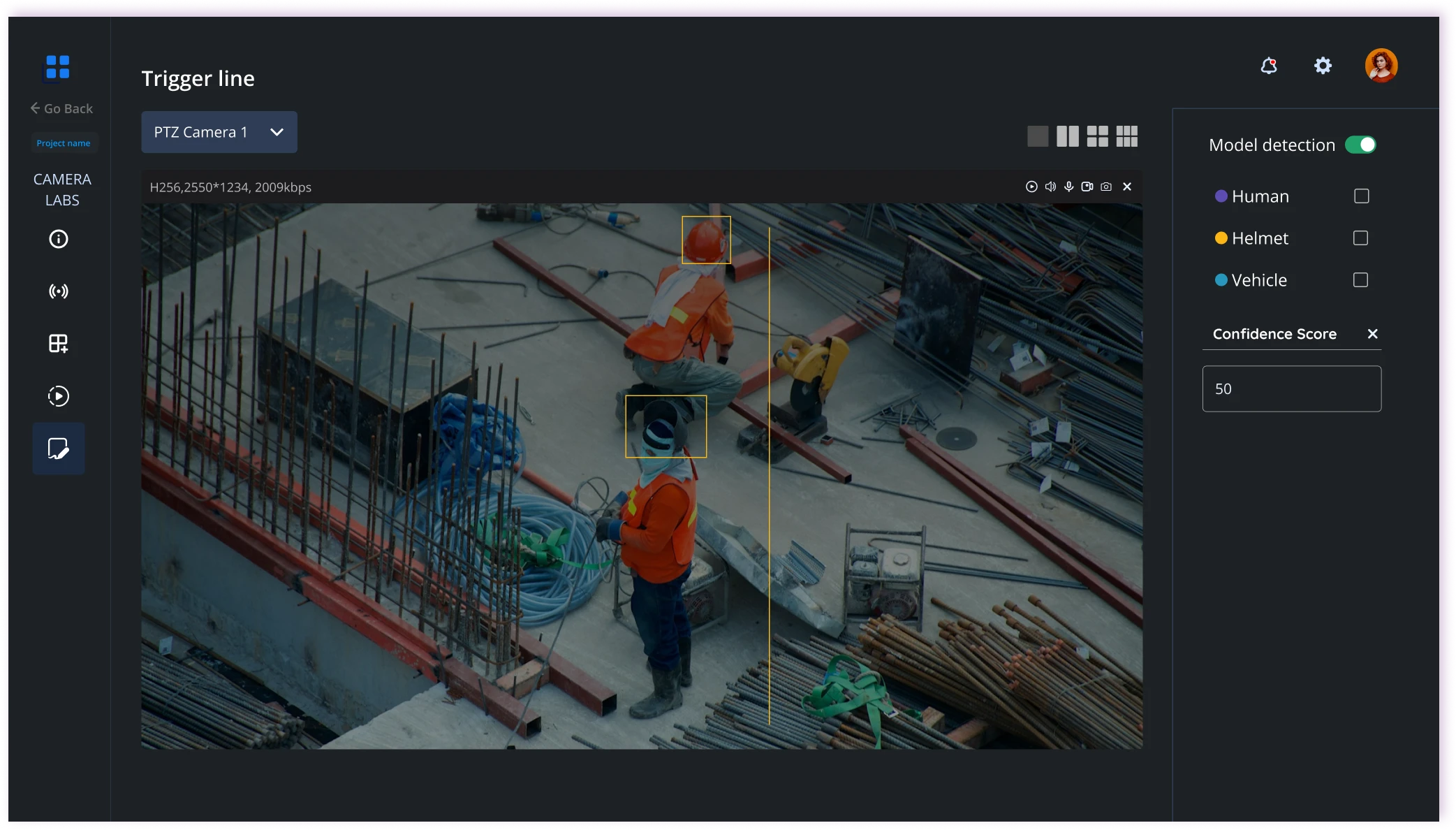
Managers draw trigger lines and lanes directly on a camera view to mark where activity matters. When something crosses a line or enters a lane, the system raises an automated safety alert, so risks are flagged without anyone watching the feed.

  • Trigger lines
  • Lane drawing
  • Per-camera setup
  • Automated alerts

/Mobile

The same answers, built for the field.

Field teams work with gloves, small screens, and weak internet. Mobile keeps the core of Lite — status, tasks, and capture — and removes everything else.

Mobile · Project overview

A clear snapshot in your pocket

Challenge

Field teams get project status late or incomplete.

Design response

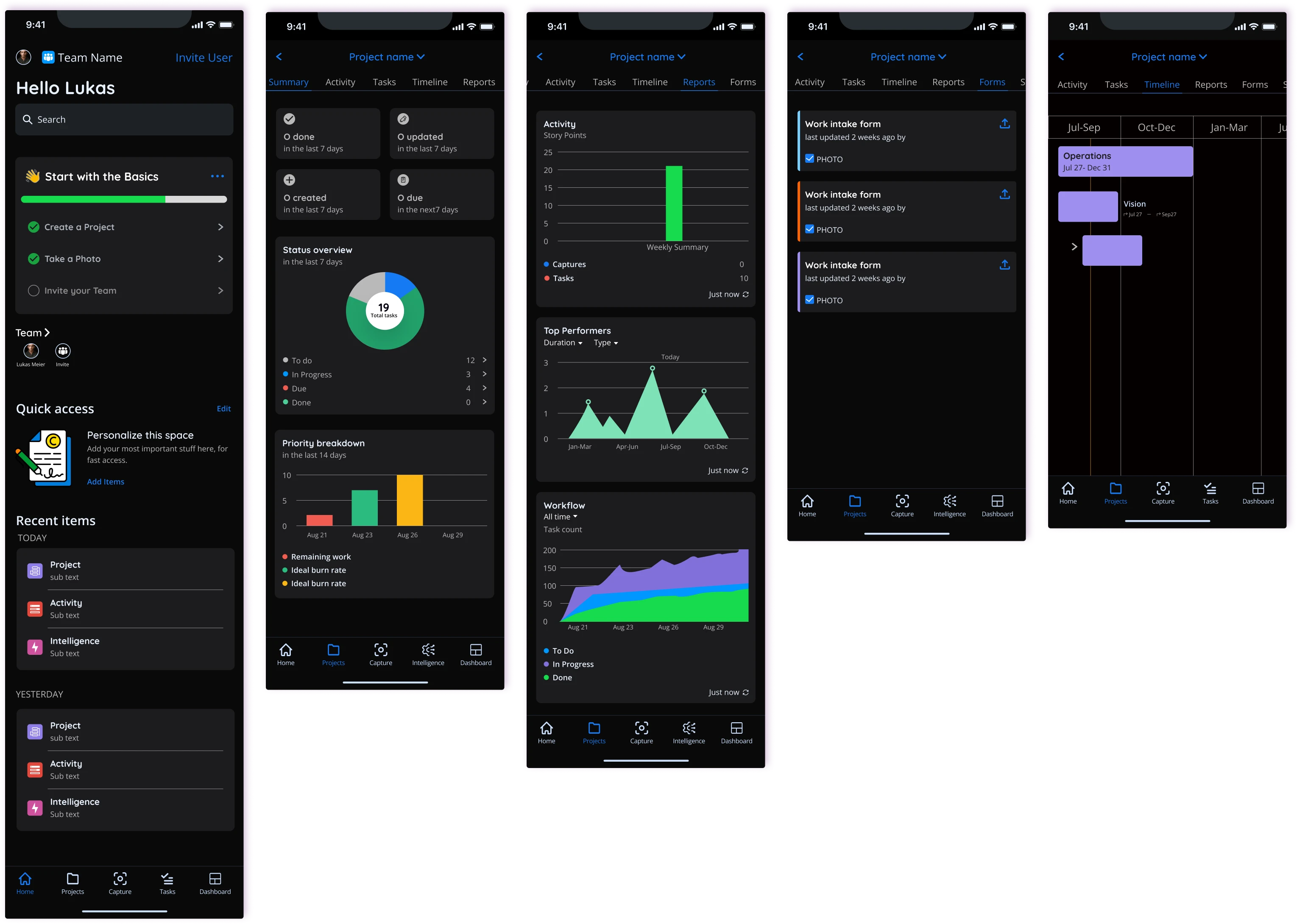
A focused project overview shows status, tasks, recent activity, and key updates so workers always know where things stand.

  • Status
  • Tasks
  • Activity
  • Updates

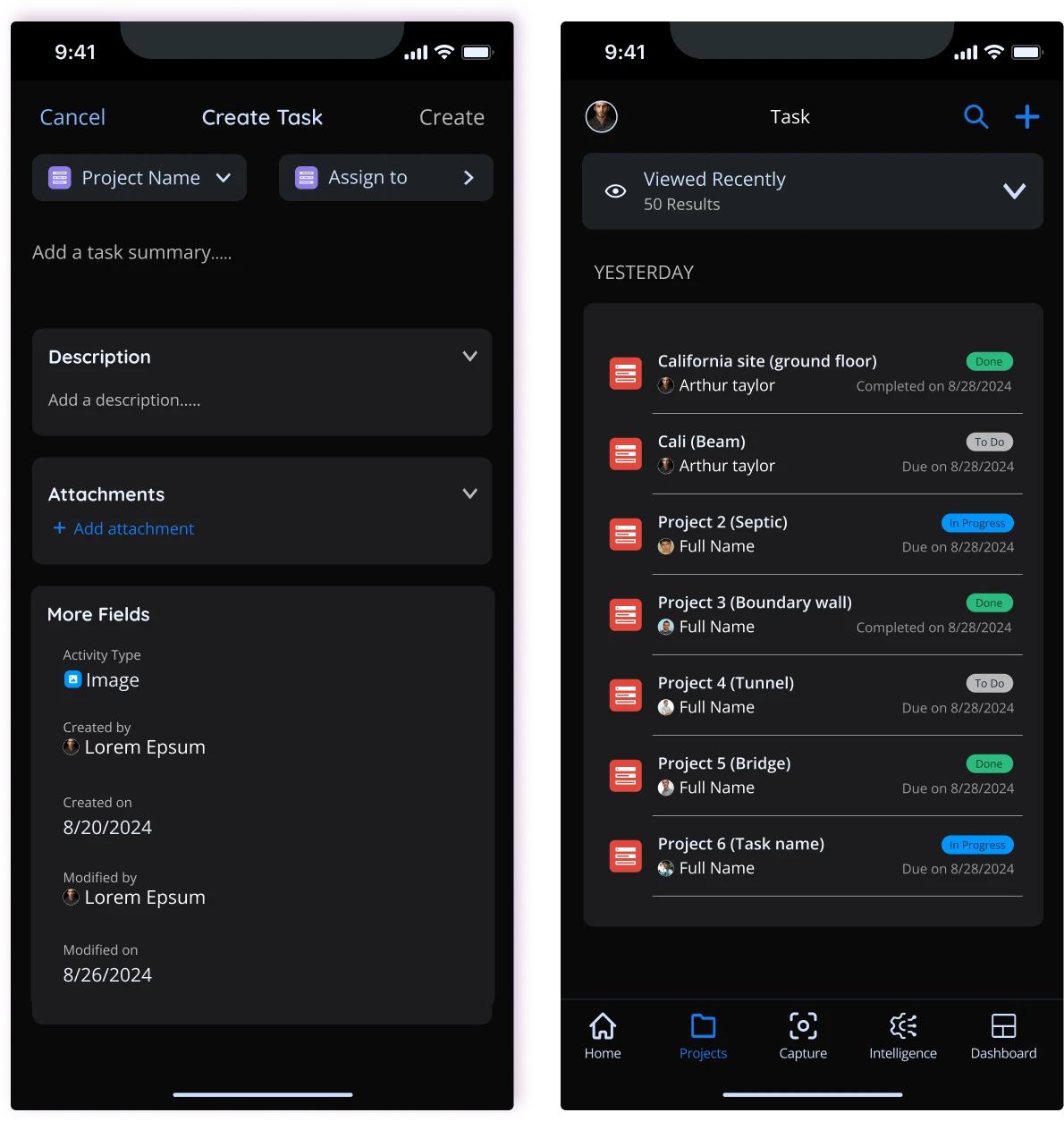
Mobile · Tasks

Tasks that are easy to create and track

Challenge

Slow paper-based processes leave it unclear who is doing what.

Design response

Create, assign, and track tasks in a few taps — designed for gloves, small screens, and interrupted attention.

  • Create
  • Assign
  • Track

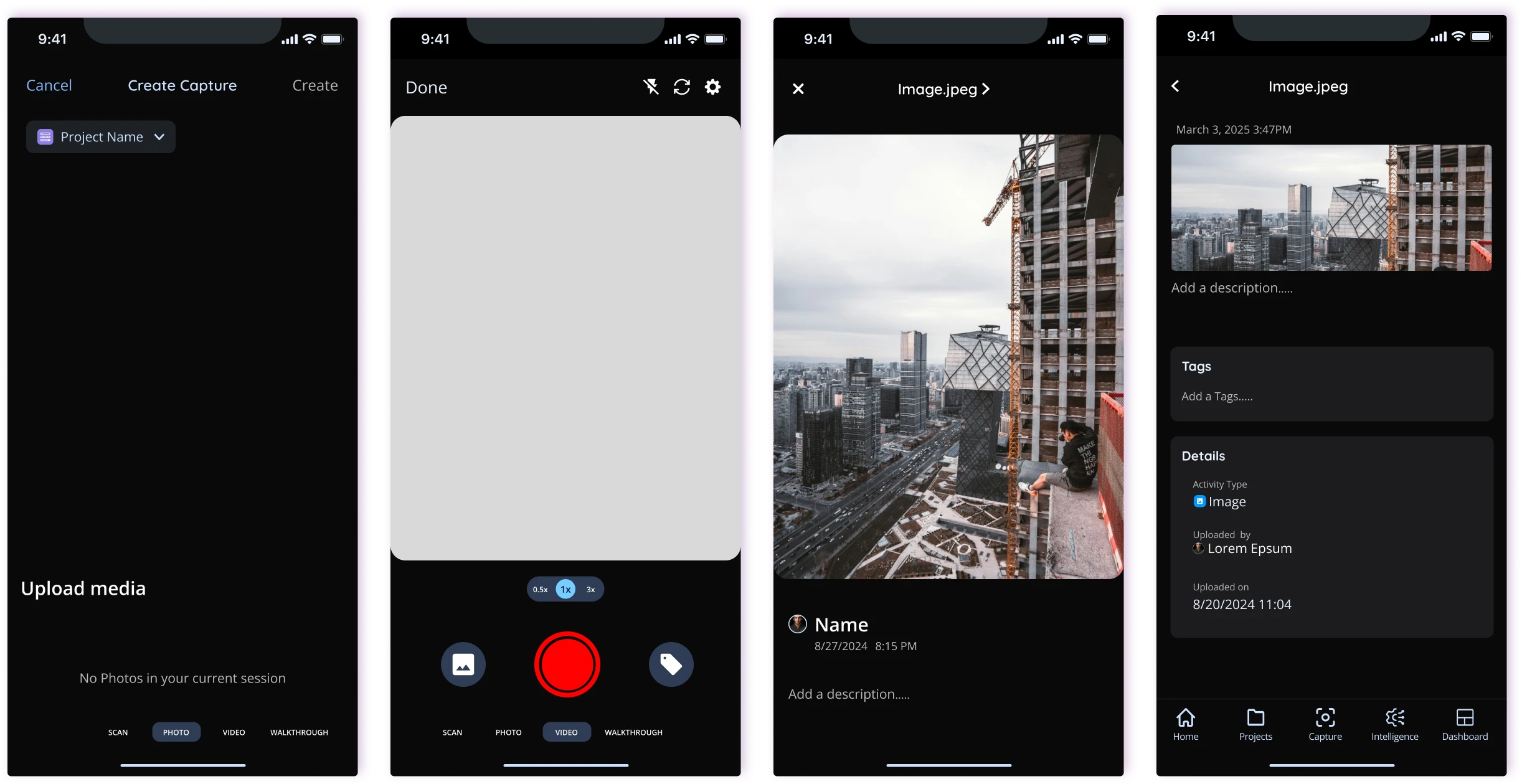
Mobile · Photo capture

Capture progress in seconds

Challenge

Documenting site progress is hard with gloves, small screens, and weak internet.

Design response

Fast photo capture to log progress, attach notes to tasks, and share status updates — built for the field and limited connectivity.

  • Photo capture
  • Attach to task
  • Share update

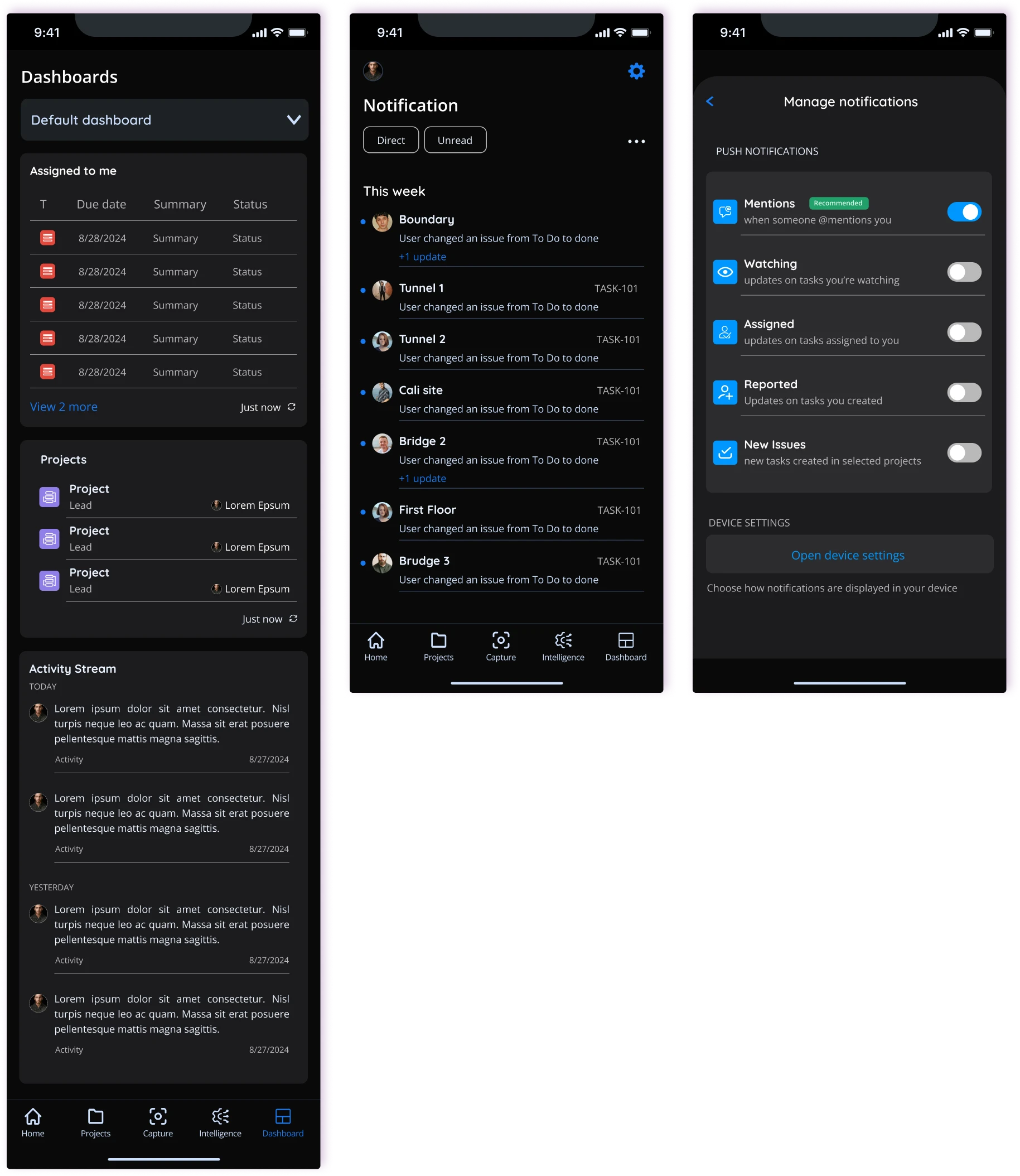
Mobile · Dashboard & notifications

Stay on top of tasks and project status

Challenge

Field workers lose track of assignments and project updates when status is scattered or delayed.

Design response

A mobile dashboard shows live project status, assigned tasks, and recent activity in one view, with notifications when something changes — so workers always know what to do next.

  • Project status
  • Task list
  • Activity feed
  • Notifications
/Outcome

From site data to clear action.

Builderlytics turns camera and site data into clear status for every role, so teams can respond early instead of reacting late.

  1. Visible

    Vision, Dashboard, and Analytics turn camera and site data into real-time status for every role.

  2. Actionable

    Idle time, hazards, and delays surface early enough to act on.

  3. Safer

    Trigger lines and automated alerts flag hazards early and reduce risk.

  4. Connected

    Progress, safety, workforce, and reports live in one system, on web and mobile.

/Behind the design

What shaped the design?

Two personas guided every decision: one focused on field speed and task clarity, the other on oversight, cameras, and proactive control.

Understanding the people on site

Field users work with gloves, small screens, and weak internet. Managers work across many sites and need the full picture without noise.

Andrew · Field worker, 38

Needs to log time and photos fast.
Pain points: slow paper processes and no feedback after reporting.

  • Log time and photos quickly
  • Log progress and updates without friction
  • Get accurate, on-time pay
Lukas · Project manager, 35

Needs progress and risk across sites.
Pain points: late field data and fragmented tools.

  • See progress and safety in real time
  • Spot delays and risks early
  • Make data-driven resource decisions
Key insight: Field users need speed for tasks, status, and capture; managers need clarity, cameras, and proactive alerts. The same data has to feel native on both mobile and web.

Product journey

01
MonitorVision live view and camera status
02
AnalyzeDashboard and Analytics on productivity, equipment & progress
03
AlertTrigger-line alerts and notifications for hazards & delays
04
ActMy work and Teams: assign tasks and respond
05
OptimizeProject timelines and reports

/ Visual direction

Logo

Builderlytics Logo · Light Logo · Light
Builderlytics Logo · Dark Logo · Dark

Typeface

Aa
Oxygen

Hero text
ABCDEFGHIJKLMNOPQRSTUVWXYZ
abcdefghijklmnopqrstuvwxyz

Aa
Quicksand

Headings
ABCDEFGHIJKLMNOPQRSTUVWXYZ
abcdefghijklmnopqrstuvwxyz

Aa
Open Sans

Body text
ABCDEFGHIJKLMNOPQRSTUVWXYZ
abcdefghijklmnopqrstuvwxyz

AaRegular
AaMedium
AaSemiBold
AaBold

Color

PrimaryBrand blue
Primary darkActive / pressed
Primary lightHighlights
LinearGradients
InkText
MutedSecondary text
DangerAlerts / errors
SuccessSafe / complete
WarningCaution
CanvasBackground

/Looking back

What did I learn?

Designing for construction means designing for two contexts at once: mobile must disappear into the work, and web must make complex site data feel simple.

Next, I would tie mobile field actions more tightly to web alerts and add stronger progressive disclosure for power users who manage multiple sites daily.

/Let's work together

Let's bring meaningful ideas to life.

I'm currently open to remote and hybrid roles, freelance case studies, and product collaborations.