Back

/Nut Runner

A role-based vision inspection dashboard that helps QA teams monitor bolt-tightening accuracy in real time.

Vision Desktop AppInspectionIndustrial QA
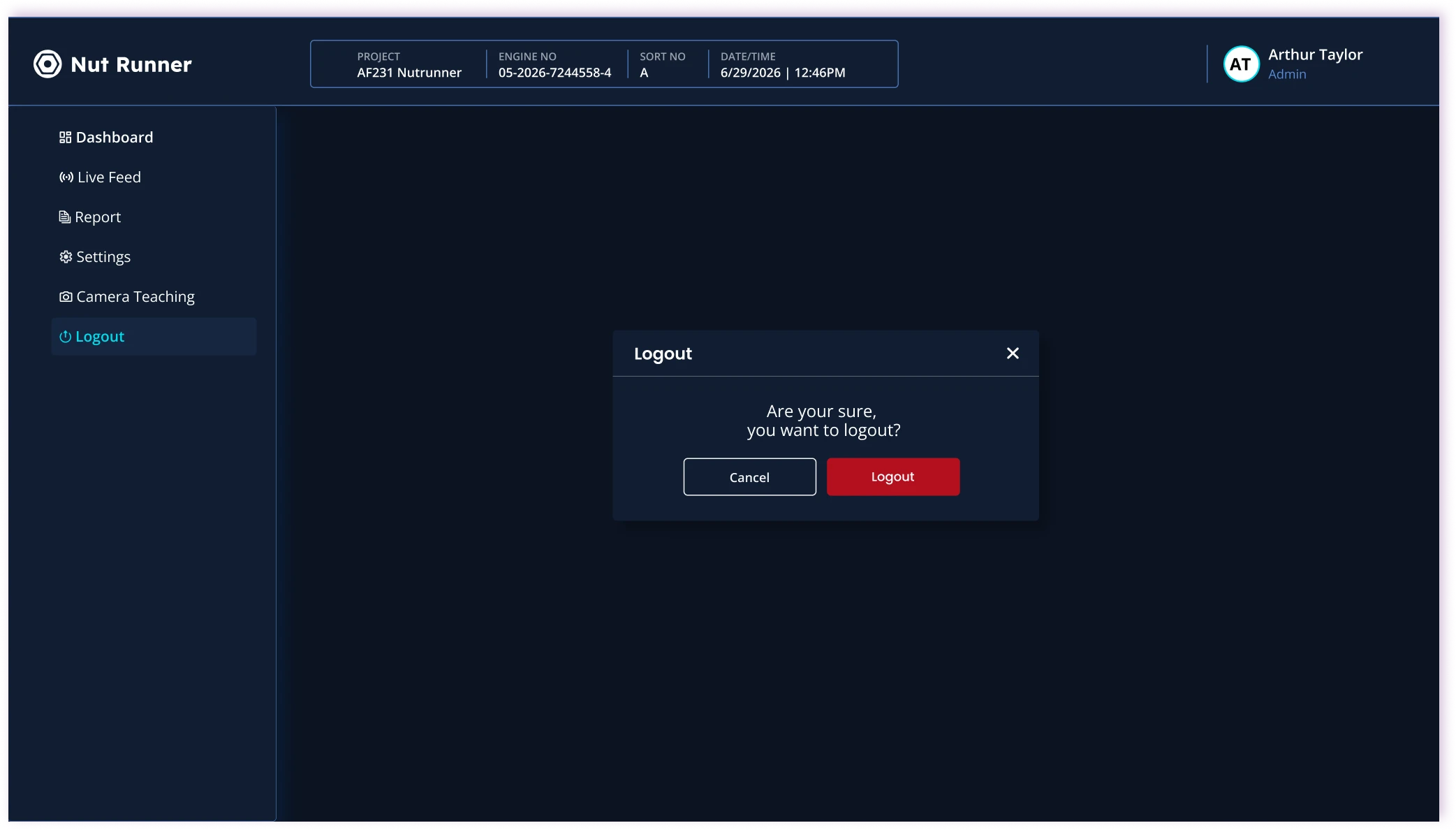
Nut Runner product screens

Industry: Industrial QA | Automotive

My Role: UI/UX Designer, Graphic Designer

Timeline: ~2 Months

Platform: Web / Desktop

/Context

What am I designing?

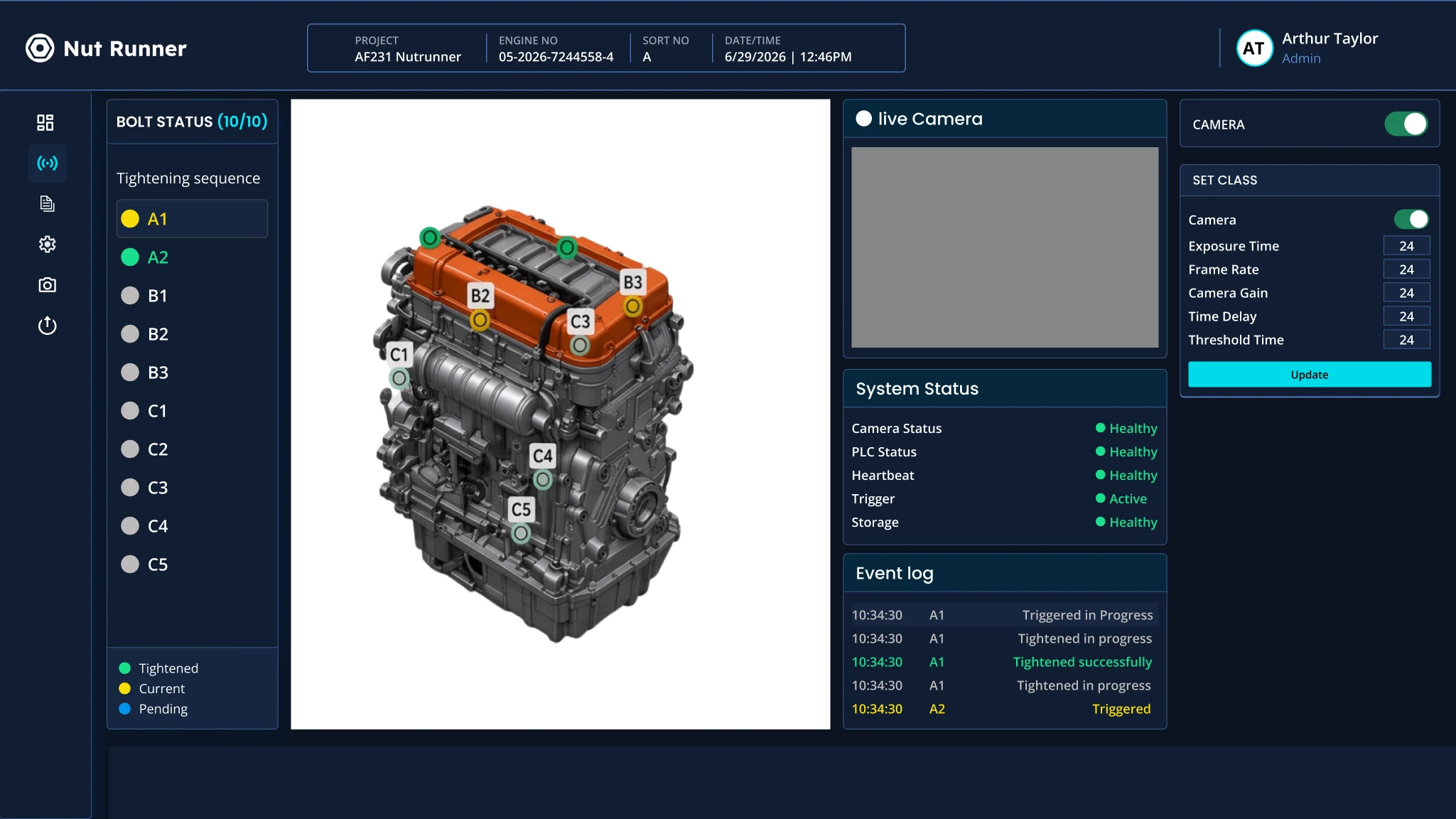
Nut Runner is a vision-based QA system that detects bolt-tightening errors on production lines in real time, making critical status and quality issues instantly clear to operators.

Audience: Factory operators who need instant status feedback, and QA/Admin teams who need monitoring, reporting, and configuration tools.

Goal: Make critical QA information immediately understandable in a fast-moving industrial environment.

/Challenge

What problem am I solving?

Bolt-tightening status wasn't immediately clear to operators. The interface required too much interpretation during fast-paced production, and operators and admins had different needs but shared the same experience.

  1. 01 — Unclear status

    Bolt-tightening status wasn't immediately clear to operators on the factory floor.

  2. 02 — High cognitive load

    The interface required too much interpretation during fast-paced production tasks.

  3. 03 — Mixed roles

    Operators and admins had different needs, but were given the same experience.

  4. 04 — Weak hierarchy

    OK, NOK, and Missing states lacked a strong visual hierarchy.

/Design response

How am I solving it?

  • Unclear bolt statusInstant visual recognition
  • Mixed RolesClear role-based access
  • Weak status hierarchyStrong color-coded system

Response 01

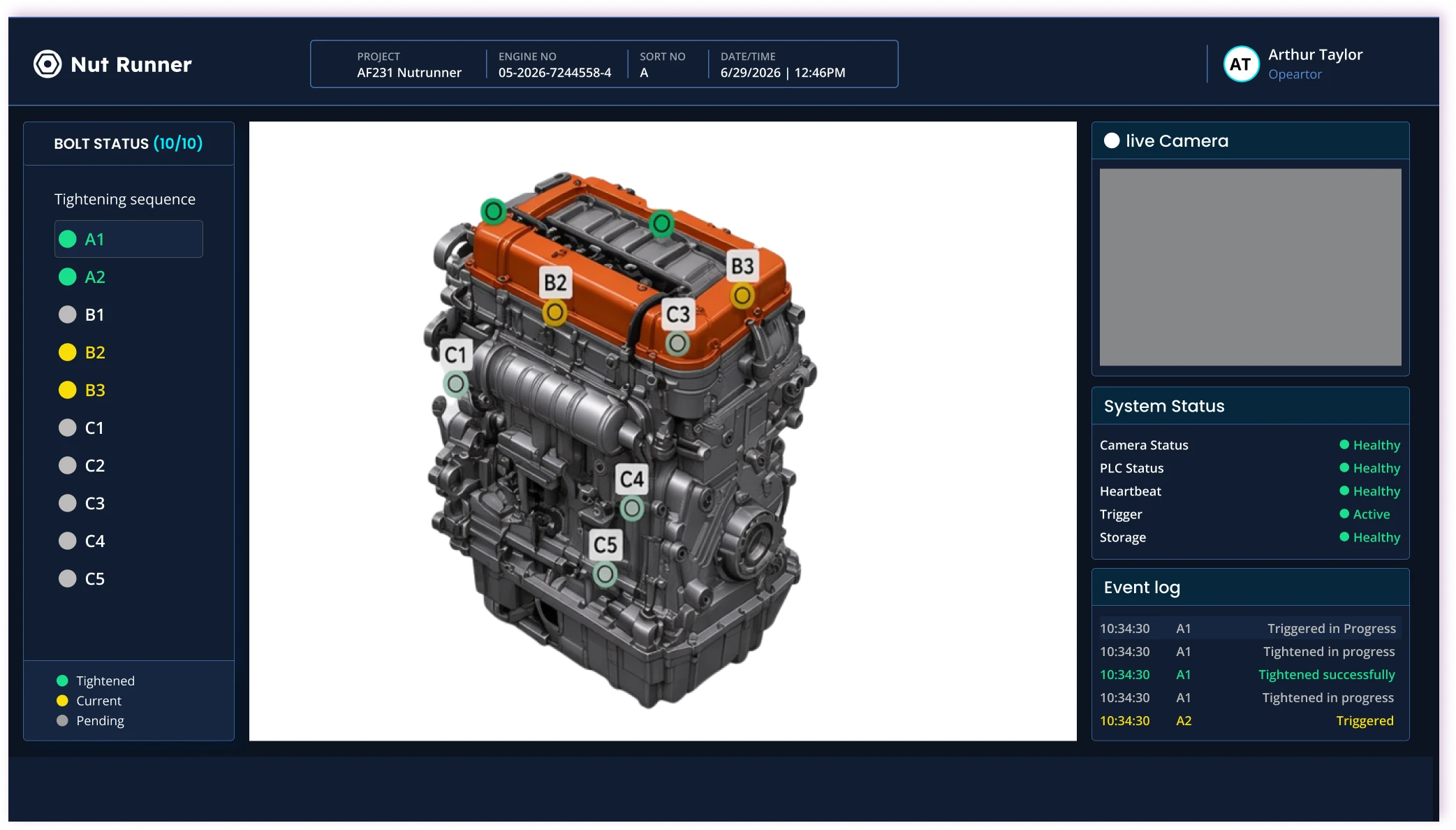
Role-based operator view

Challenge

Operators and admins shared the same cluttered experience.

Feature

A focused operator view built around live monitoring and instant status — only what the floor needs, nothing extra.

  • Live monitoring
  • Bolt status
  • Event log

Response 02

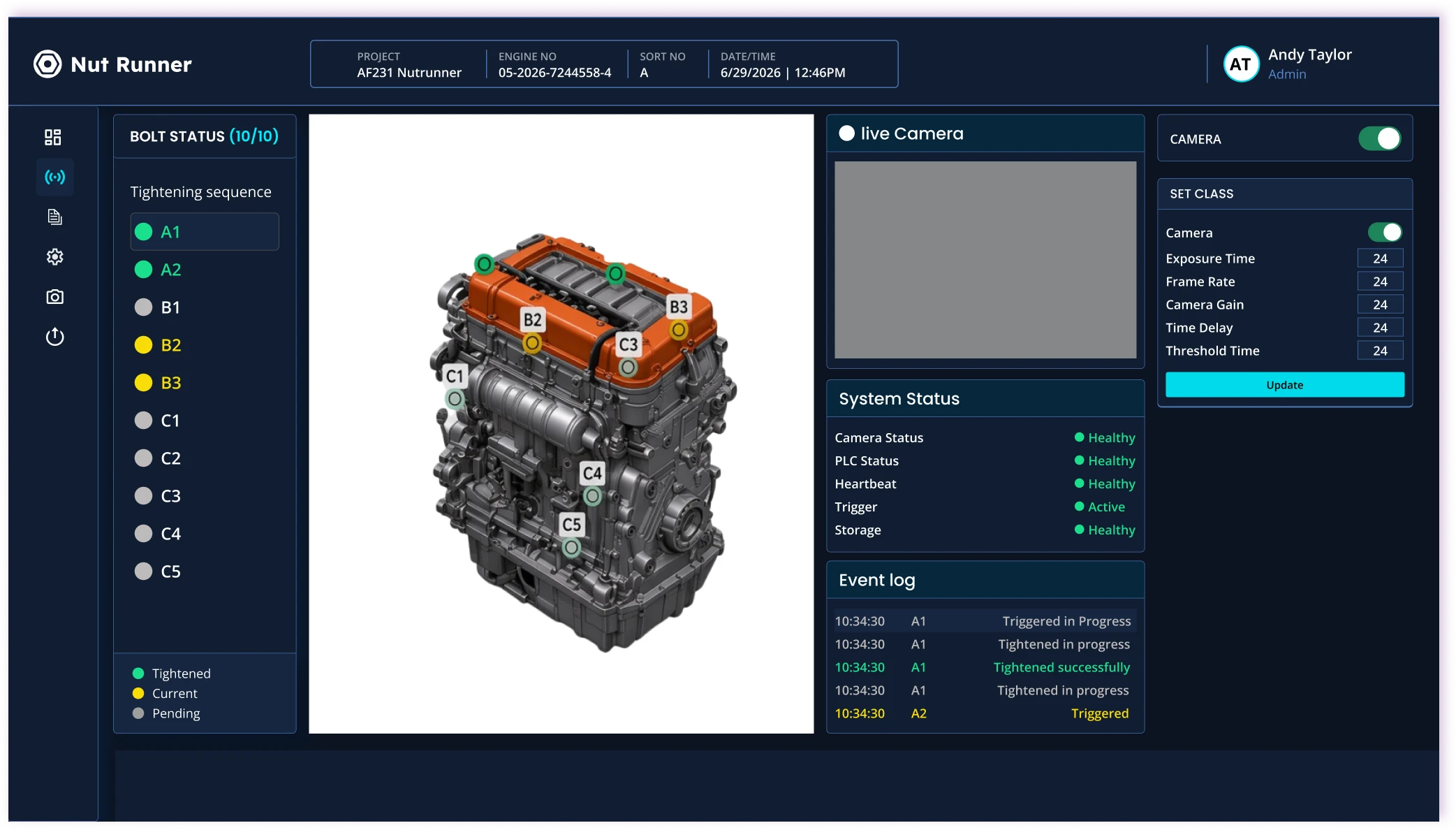
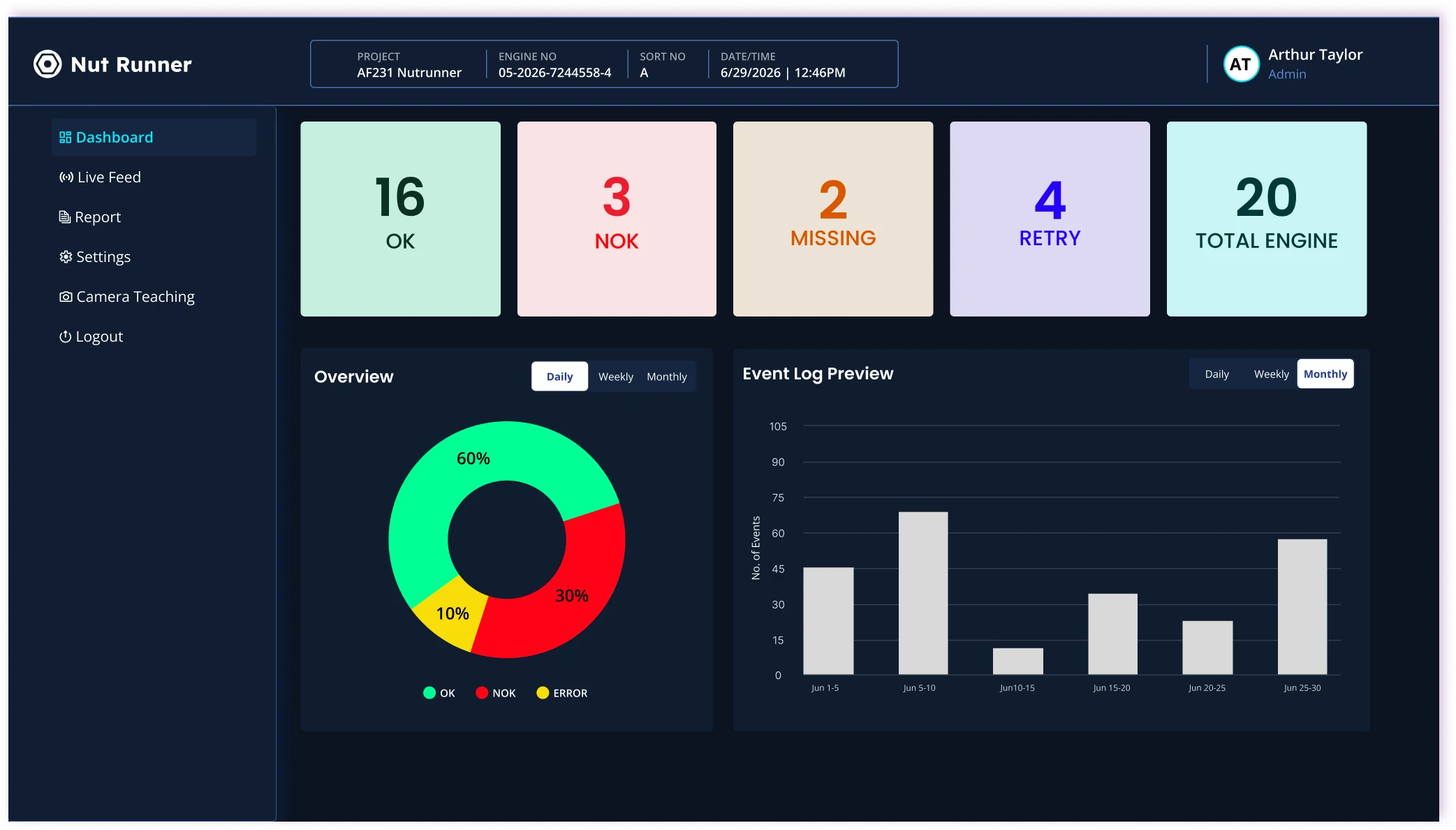
Role-based admin view

Challenge

Admins needed oversight, configuration, and reports without slowing operators down.

Feature

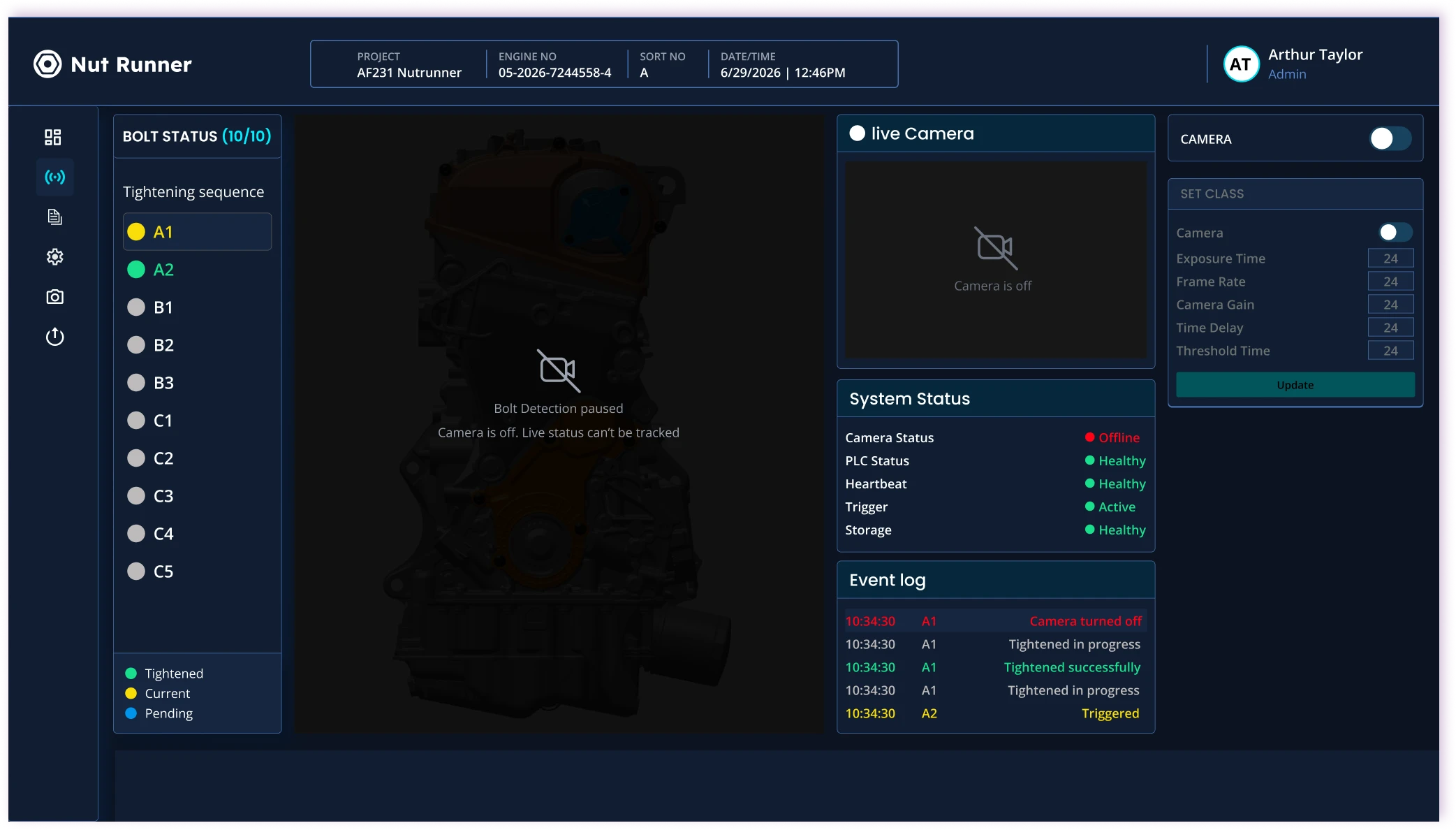
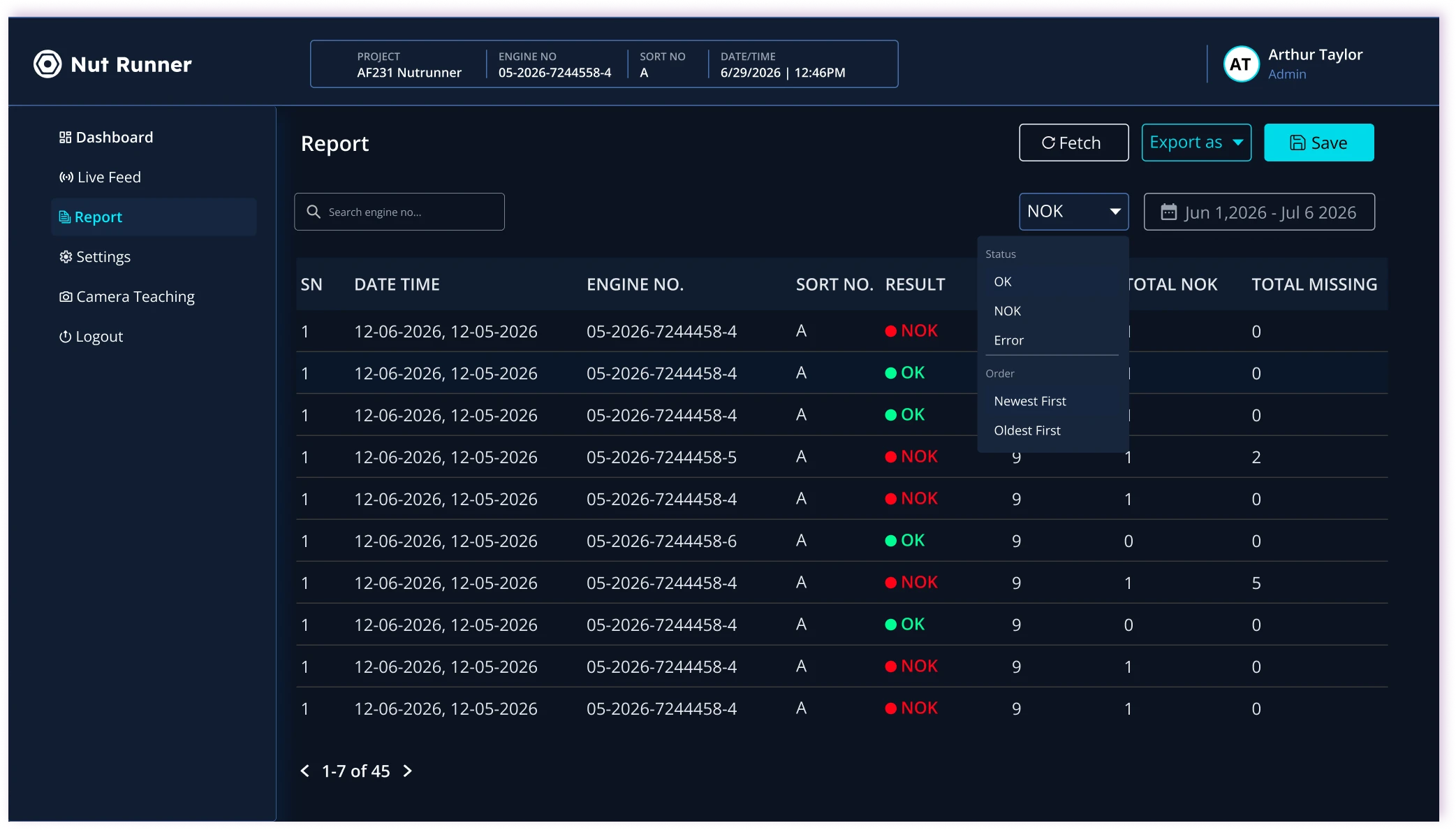
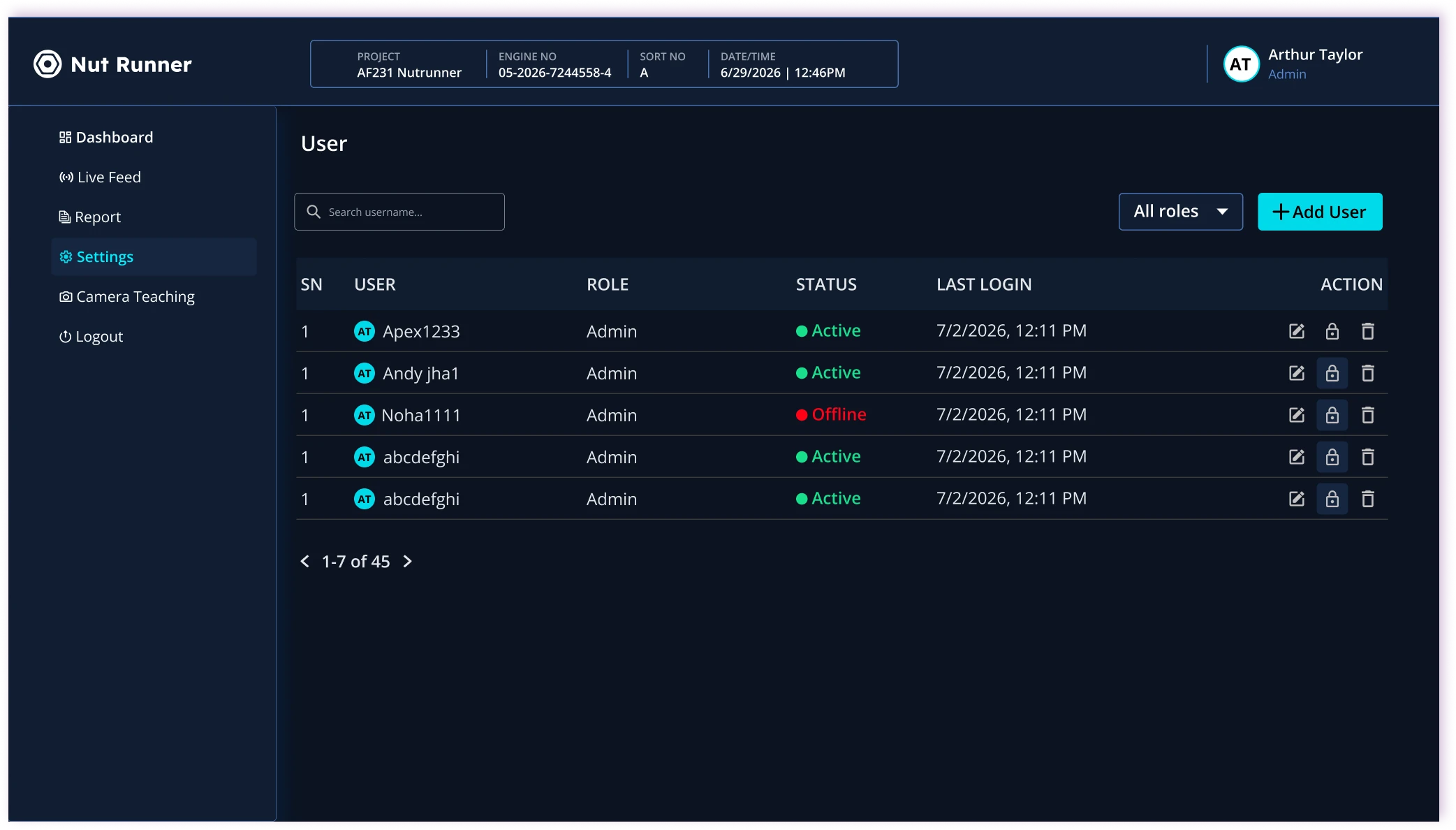
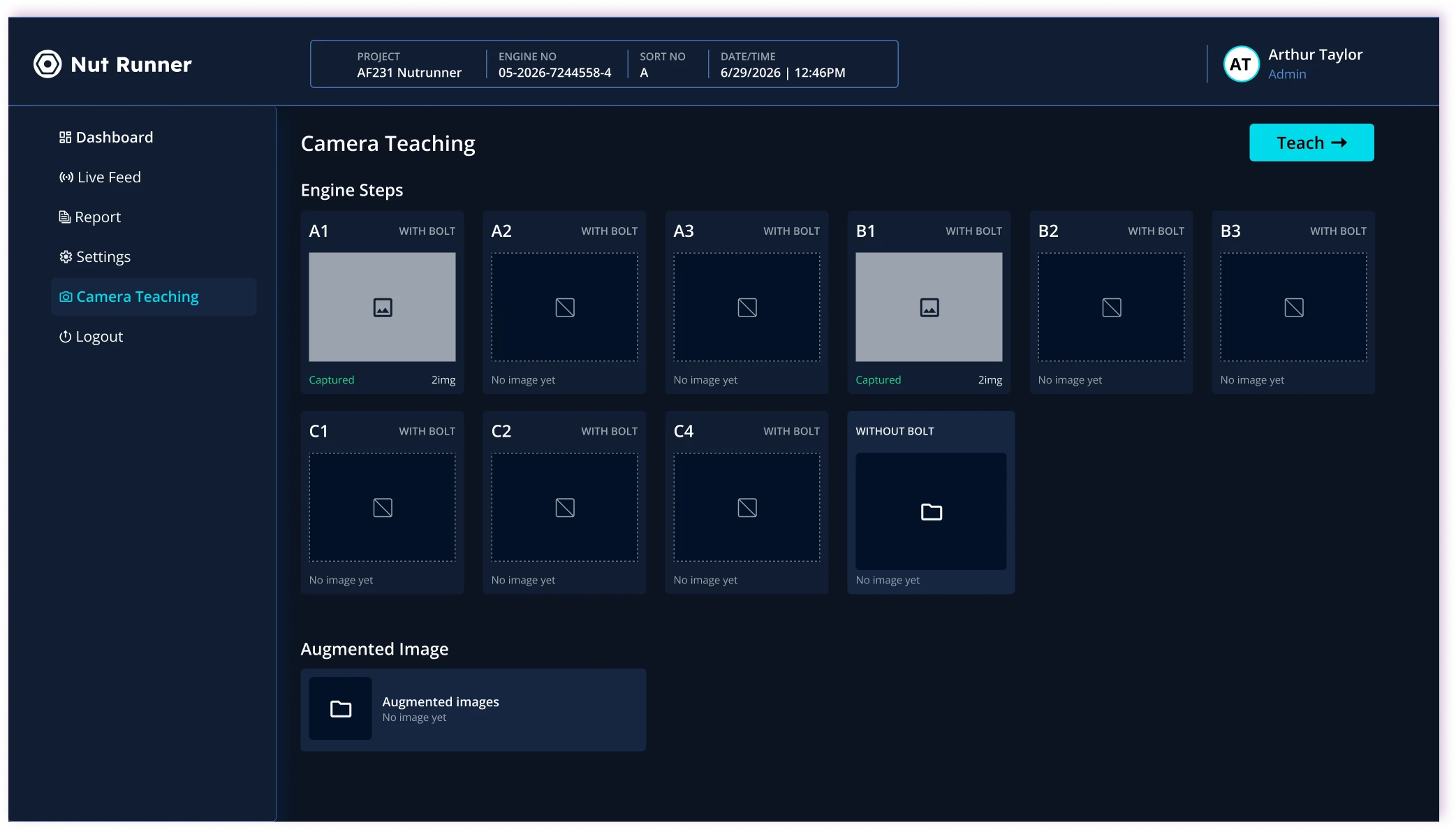
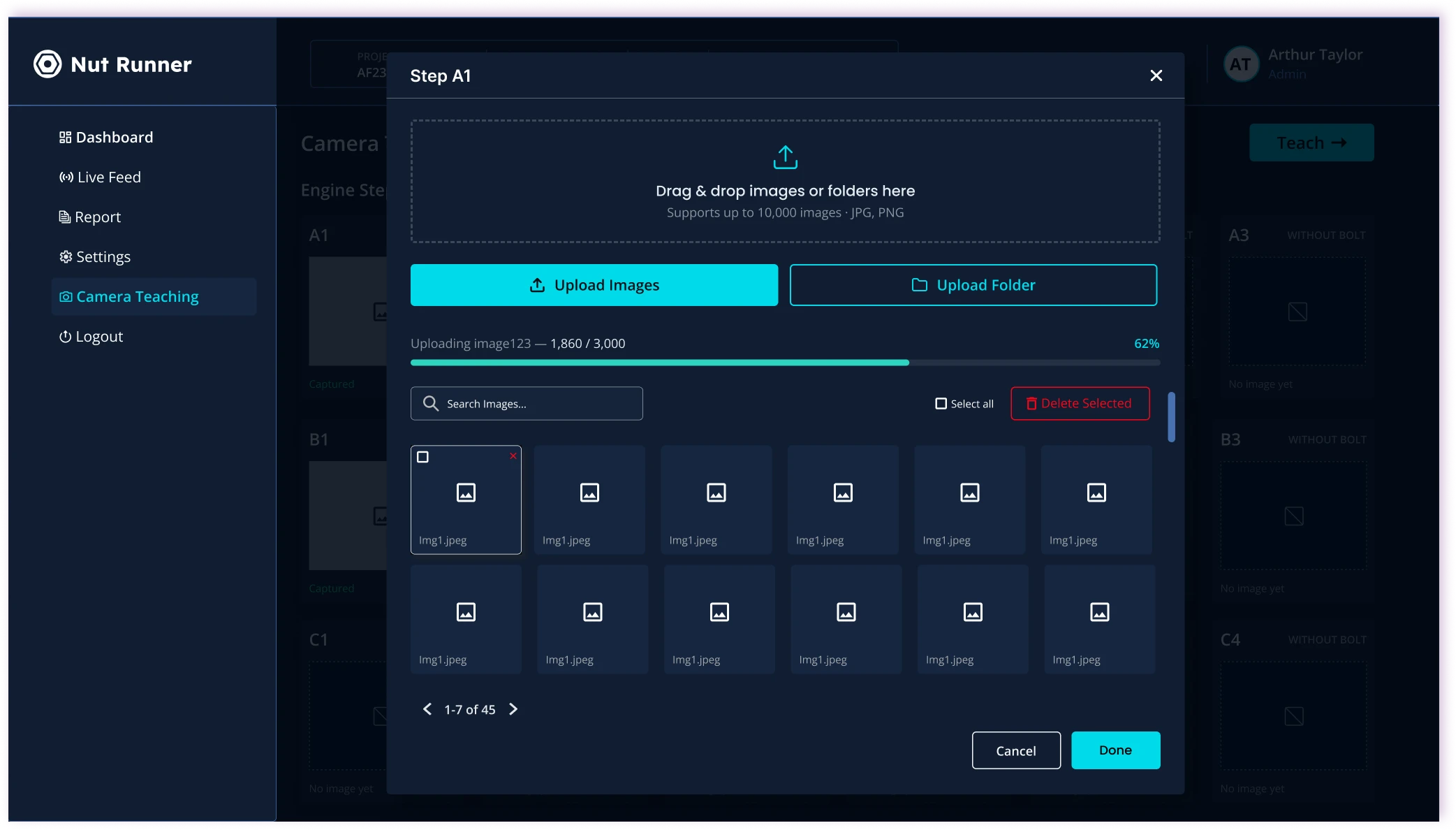
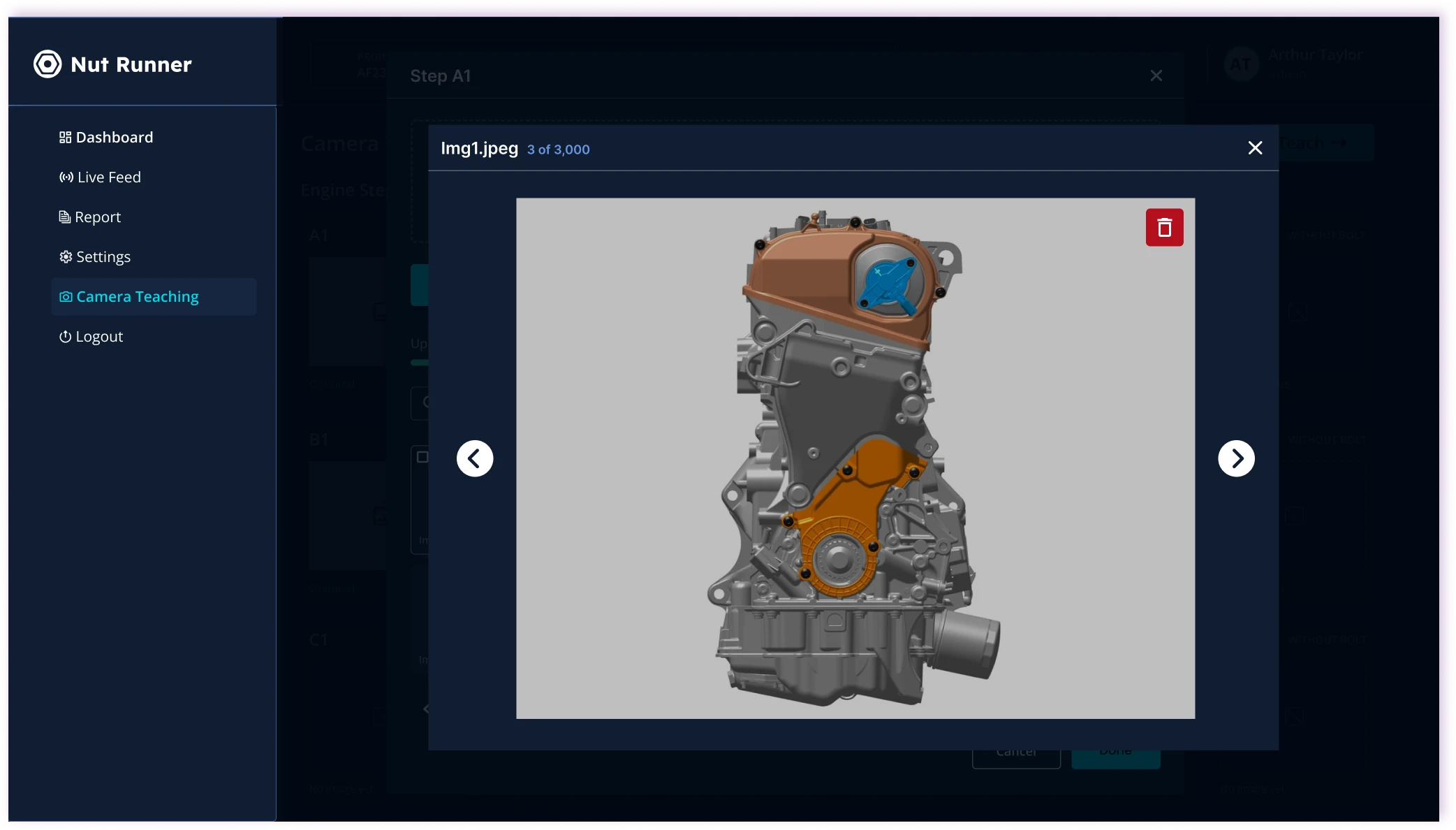
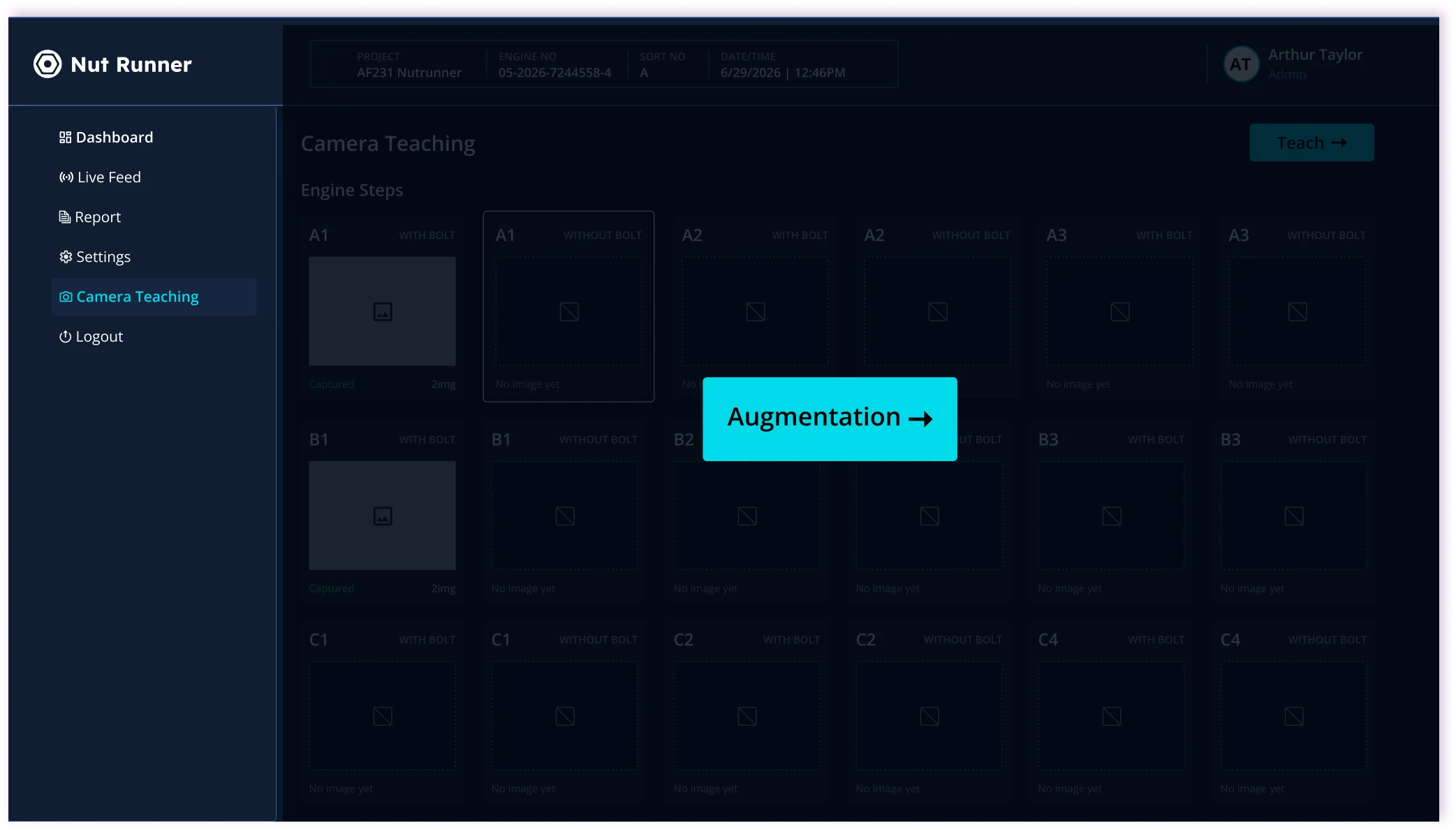
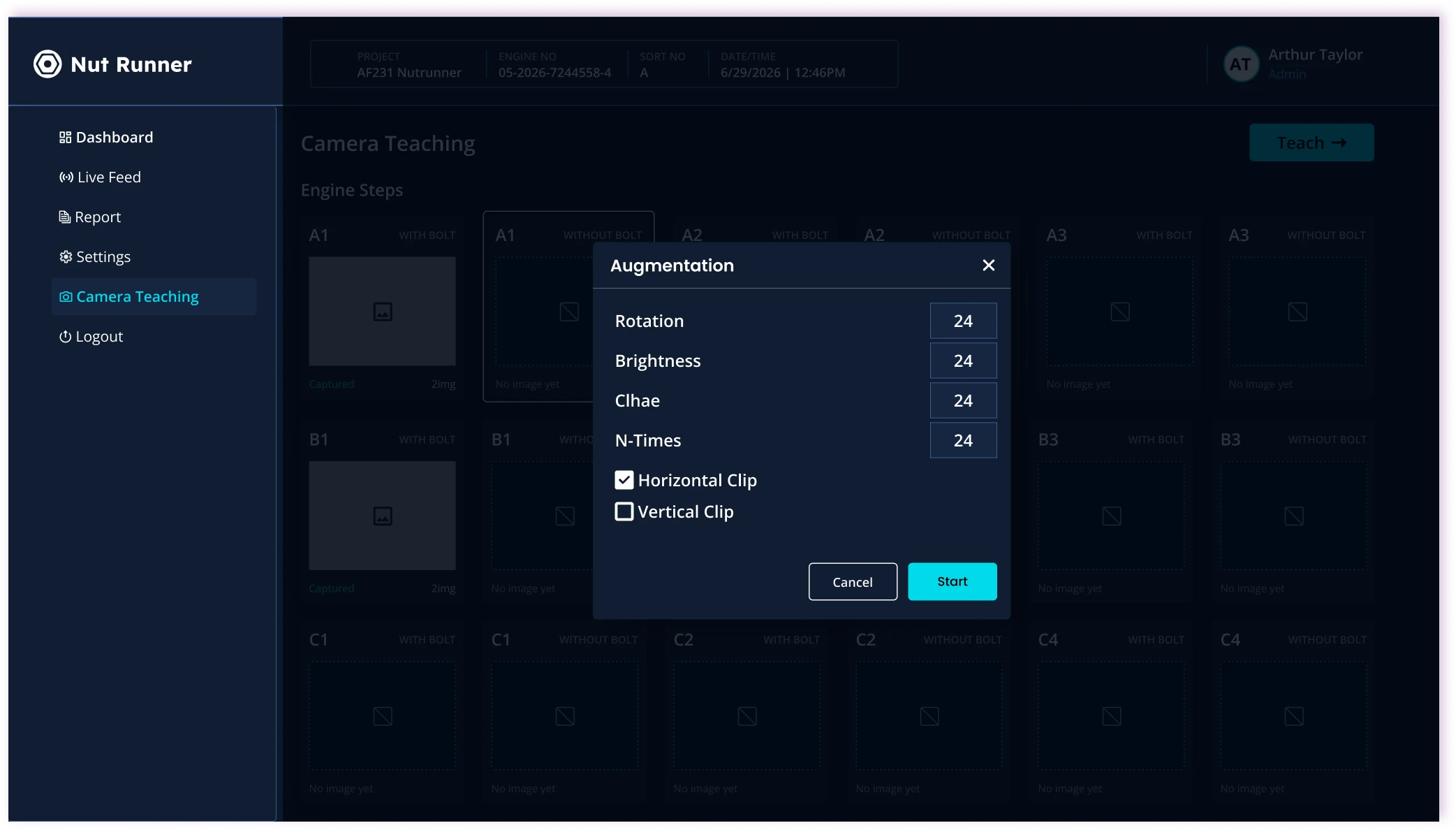
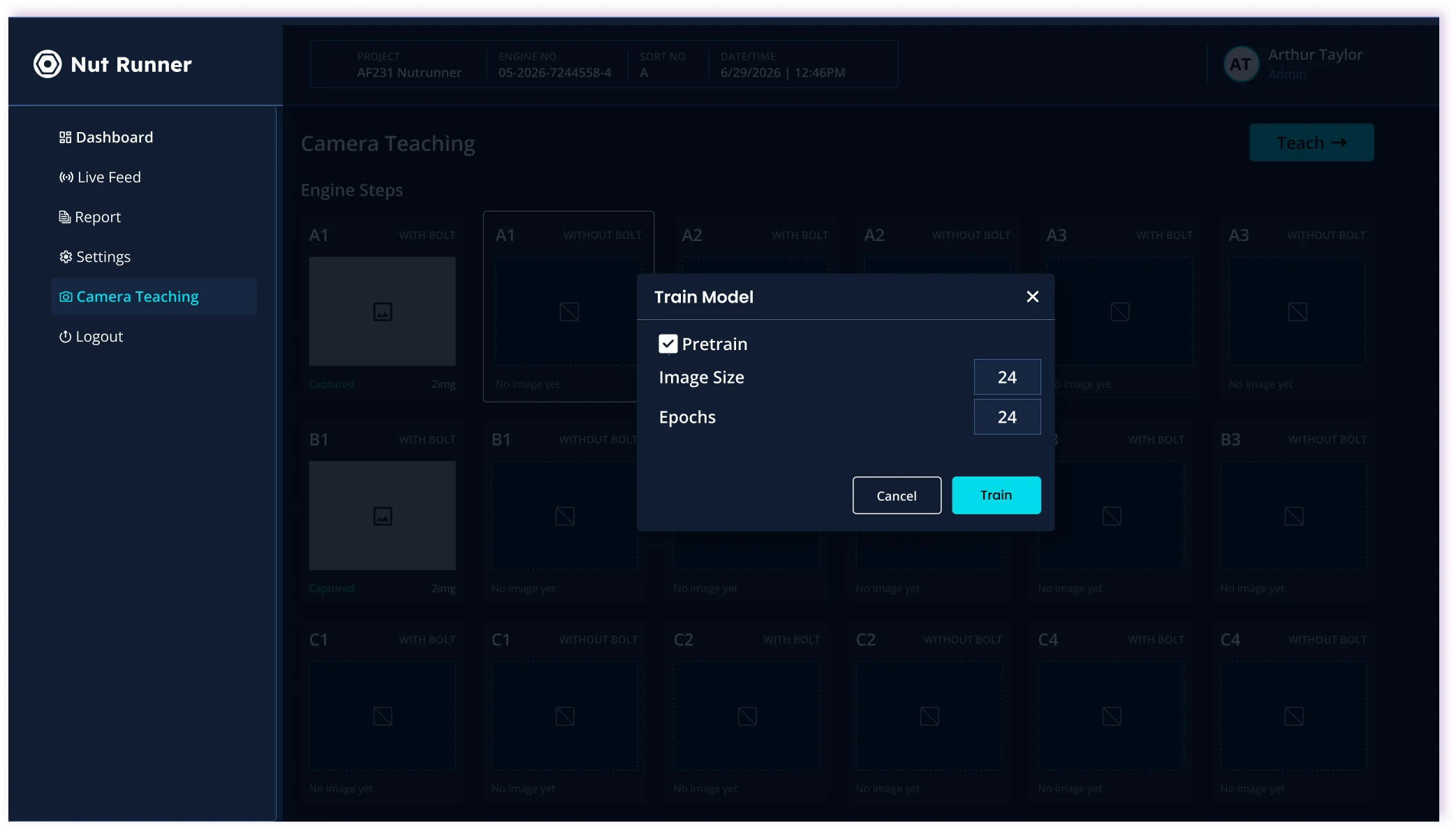
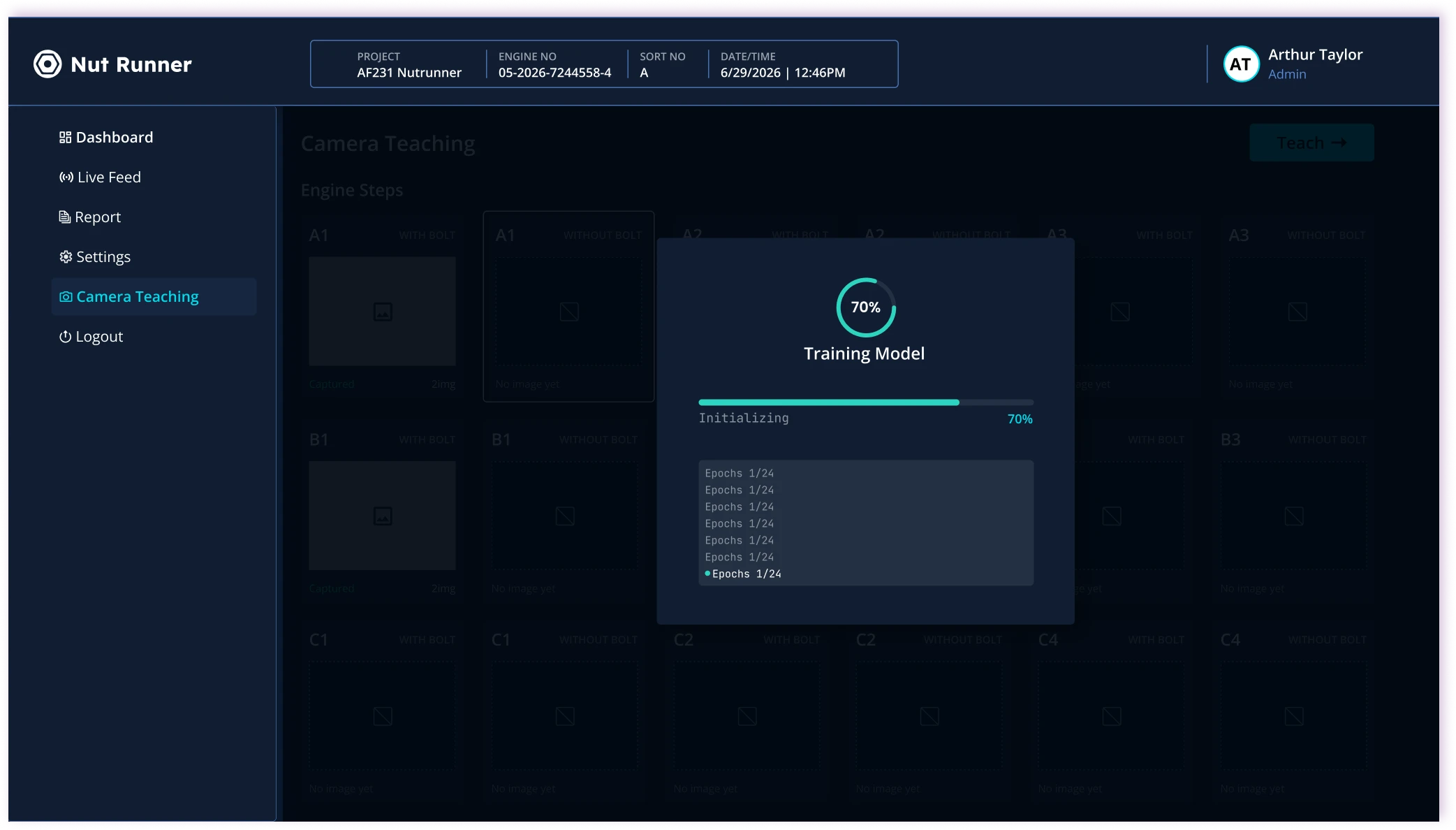
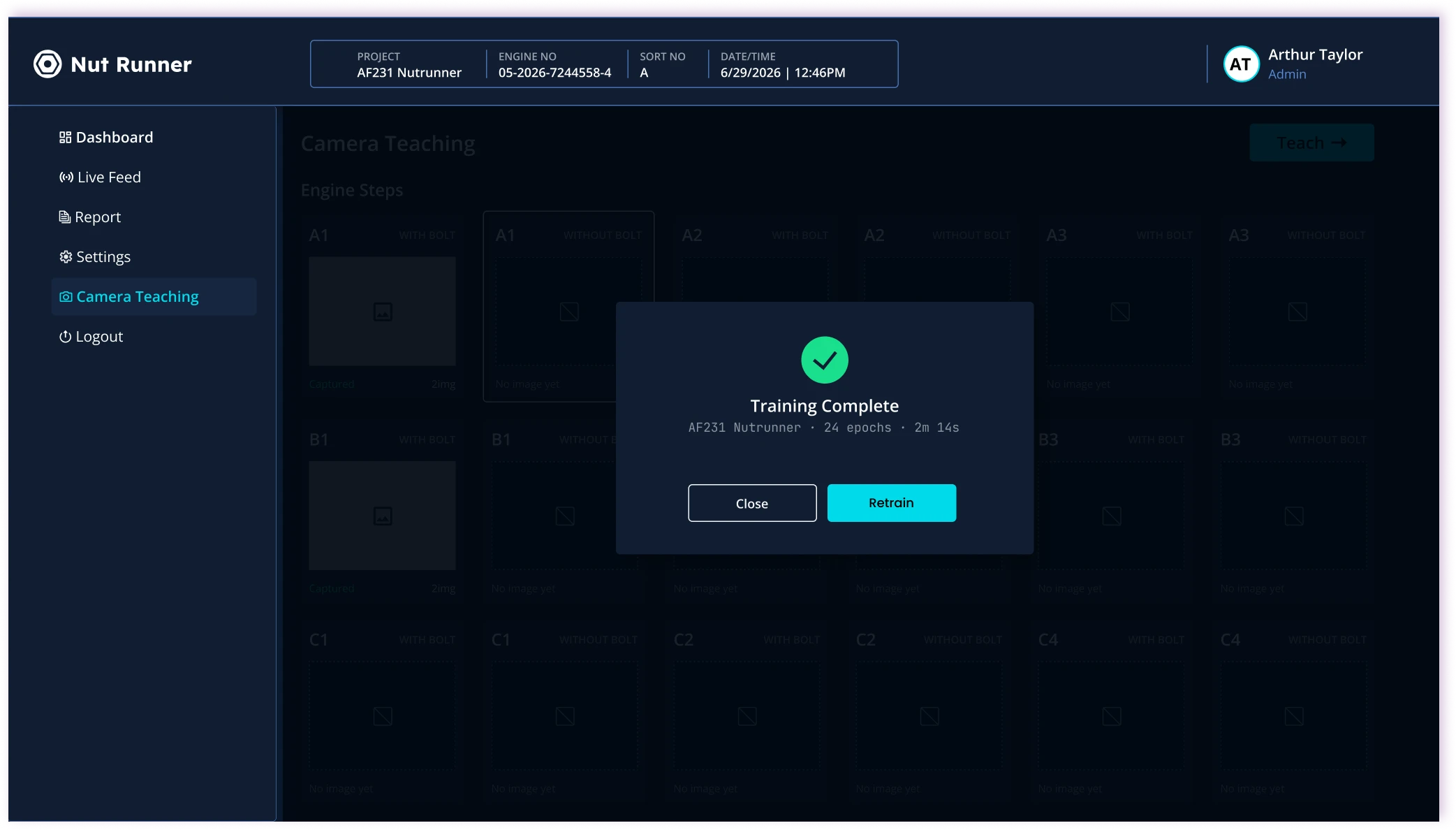
A dedicated admin experience for monitoring, user management, camera teaching, and reporting — separated from the operator floor view.

  • Overview
  • Live feed
  • Settings
  • Reports

Response 03

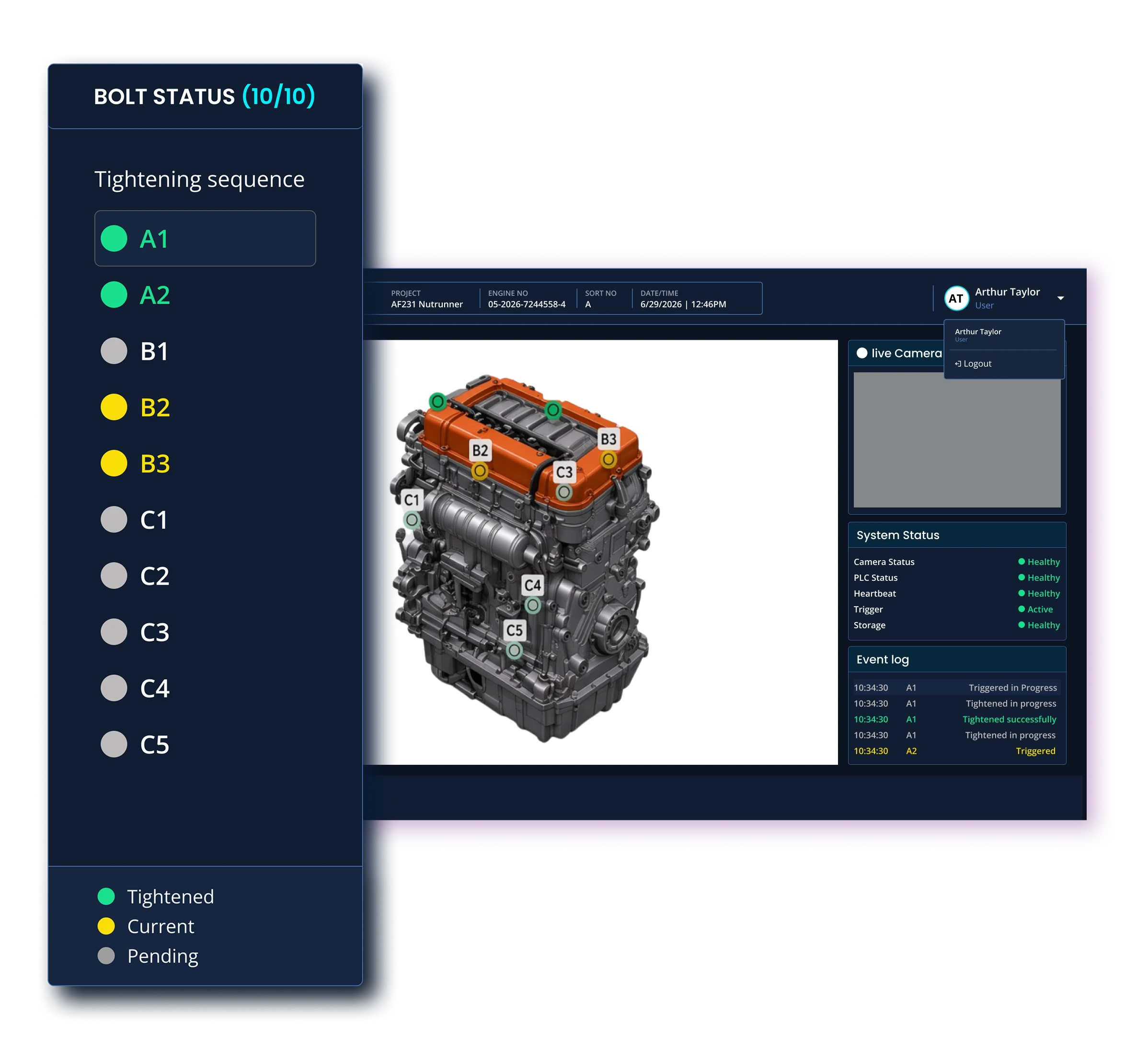
Status visual system

Challenge

OK, NOK, and Missing states lacked a strong visual hierarchy.

Feature

A color-coded system — green for OK, yellow for NOK, gray for Missing — so status is recognizable in a single glance on the line.

  • OK · Green
  • NOK · Yellow
  • Missing · Gray

Response 04

Admin tools

Challenge

Configuration, users, and reports were hard to reach or poorly structured.

Feature

Dedicated flows for reports, user management, and camera teaching — so admins can configure and improve the system without disrupting the floor.

  • Reports
  • User management
  • Camera teaching

/Outcome

From unclear status to glanceable QA.

Nut Runner makes bolt-tightening status instantly clear on the floor and gives admins the structure to monitor, configure, and improve the line.

  1. Glanceable

    OK, NOK, and Missing states are recognizable in a single look.

  2. Focused

    Operators get a distraction-free view built for speed on the line.

  3. Role-based

    Operators and admins each get an experience matched to their job.

  4. Connected

    Monitoring, reporting, users, and camera training live in one system.

/Behind the design

What shaped the design?

Two personas guided every decision: operators who need speed and clarity on the floor, and admins who need control, configuration, and oversight.

Understanding the people

Factory operators need instant status. Admins need monitoring, permissions, and configuration — without slowing the line.

Operator · Factory floor

Works in a fast-paced production environment. Needs bolt status in a single glance and minimal cognitive load.

  • See bolt status instantly
  • Minimize cognitive load
  • Act quickly on NOK / Missing
Admin / QA Lead

Owns line performance, users, cameras, and reports. Needs structure and control without cluttering the operator view.

  • Monitor line performance
  • Manage users and permissions
  • Configure cameras and reports
Key insight: Operators need speed and clarity. Admins need control and structure. One interface cannot serve both well — role-based experiences were essential.

Product journey

01
DetectCamera captures bolt status in real time
02
ClassifySystem labels OK / NOK / Missing
03
AlertOperator sees instant visual feedback
04
ImproveAdmin reviews data and optimizes process
05
ConfigureUsers, cameras, and reports stay in one place

User flow

Role-based journey for Operators and Admins.

Operator
Operator View
Bolt status
Live monitoring
Event log
System status
Admin
Admin Dashboard
Overview
Status overview
Event log
Live Feed
Bolt status
Live monitoring
Event log
System status
Camera settings
Settings
View user list
Add / delete user
Change password
Reports
Filters (date)
Status (Good, NG, Error)
Camera Teaching
Add image
Start augmentation
Train model
Logout
Back to login page

/Looking back

What did I learn?

Industrial UX is about making critical information clear at a glance. Clear roles and strong visual hierarchy made the experience more focused and efficient on the line.

Next, I would validate system requirements and edge cases earlier to reduce rework and better align the design with real factory workflows.

/Let's work together

Let's bring meaningful ideas to life.

I'm currently open to remote and hybrid roles, freelance case studies, and product collaborations.